Search for “AI social media automation tools” and most results tell you the same thing: AI writes your captions, posts at the perfect time, and grows your audience while you sleep. Some of that is real. Some of it is a label stuck on an ordinary feature.
This guide separates the two, explains the three kinds of tool people mean when they use this phrase, and gives you a way to match a tool to your actual problem before you pay for anything.
What “AI” Really Means in These Tools
Most of what is sold as AI falls into five jobs. Some are genuinely useful, and some are overstated.
Caption and content drafting. This is the most common AI feature and the most useful one when treated as a first draft. It gets you from a blank box to something editable. It is not useful as a finished post, because unedited AI captions all sound alike.
Reply drafting and intent recognition. Instead of one canned reply for every comment, the tool recognizes that “how much?” and “does it ship to Pune?” are different questions and sends different answers. This is where AI makes the biggest practical difference, because speed on replies is where leads are won or lost.
Posting-time suggestions. Some tools recommend times based on your own past engagement. This helps if you have enough history, and it is close to useless on a new account with a few dozen posts. Your own Instagram or Facebook insights give you the same starting point for free.
Lead tagging. The tool labels conversations by what they are about, such as pricing question, support issue or general interest, so you can sort a busy inbox. Useful, as long as you check the labels are right for your business.
Performance summaries. Dashboards that explain why a post did well. The quality varies widely. Treat any “insight” as a hypothesis to test, not a fact.
What AI does not do is decide your strategy, know your customers, or fix a weak offer. A tool that posts perfectly and replies instantly still cannot sell something people do not want.
The Three Types of Tool
Comparing tools on price or logo is misleading because they solve different problems. Nearly every product falls into one of three groups.
1. Schedulers. Their job is getting content published on time across platforms. They give you a calendar, a queue and basic analytics. Buffer is a well-known example of a lightweight scheduler. If your problem is “I forget to post” or “I’m logging into five apps,” this is the type you need.
2. Messaging and chat automation. Their job is replying to comments and messages quickly, capturing leads and routing conversations. ManyChat is a well-known example. If your problem is “people comment and we answer late,” this is the type you need. These tools usually do not run your content calendar.
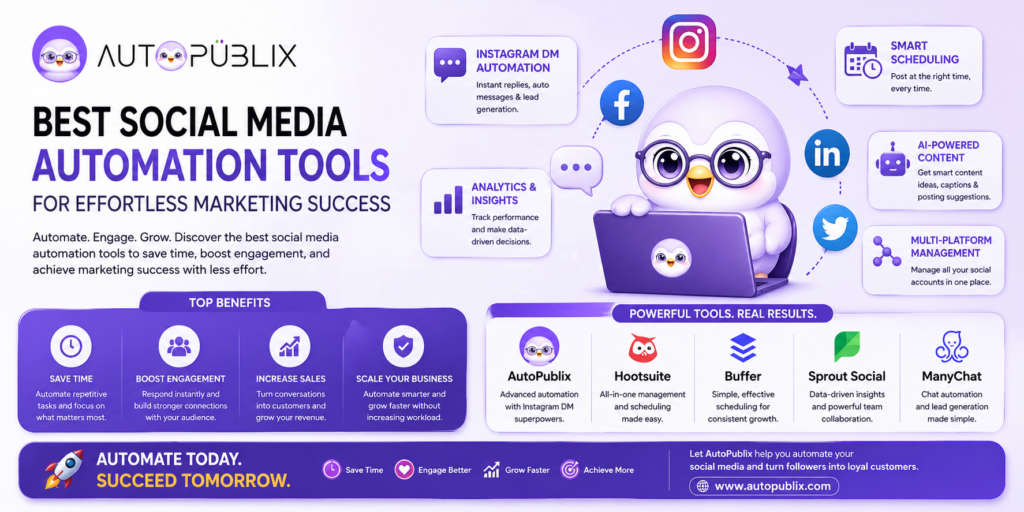
3. Combined platforms. They do scheduling and reply automation in one place. AutoPubliX is built this way: scheduling across platforms together with comment-to-DM automation, AI-personalized replies and lead tagging in one dashboard. This type matters most when your growth depends on the handoff between the two, where a post draws a comment, the comment triggers a DM, and the DM becomes a lead.
Larger suites such as Hootsuite sit across the first and third groups and add features like social listening and team approvals, which suit bigger teams. Features in every one of these products change, so check each vendor’s current feature page rather than relying on a comparison written months ago, including this one. For direct comparisons, see AutoPubliX vs Hootsuite, vs Buffer and vs ManyChat.
Find Your Bottleneck First
Before comparing features, answer three questions. The answers tell you which type to look at.
Where are you losing time? If you spend your week writing and publishing posts, you have a content-logistics problem. If you spend it answering the same questions in comments and DMs, you have a reply problem.
Where are you losing customers? If people engage but do not buy, look at how fast and how well you reply. If few people see your content at all, no reply tool will fix that. You need better content or reach.
What does it have to connect to? If sales happen on a Shopify or WooCommerce store, check that the tool can pass a conversation to checkout. If you work through bookings, check for that instead.
A solo creator with a reply problem does not need an enterprise suite. A team with approval workflows and five brands does not need a lightweight scheduler. The decision is almost always clearer once the bottleneck is named.
A Worked Example: One Post, Three Tools Doing Their Job
A small skincare brand publishes a launch post for a new serum.
- Scheduling: the post is queued days ahead for Instagram and Facebook, with times chosen from the brand’s own insights.
- Reply automation: a comment with “price” triggers a DM within seconds with the price and a link. A comment with “is it safe for sensitive skin?” does not match a price trigger, so it is flagged for a person.
- Lead tagging: the “price” conversations are tagged “serum – price enquiry,” so the team can follow up with anyone who did not buy.
- Human step: the owner answers the sensitive-skin question herself, with a real answer.
Notice what automation handled: the repetitive and time-sensitive parts. Notice what it did not: the question that needed judgment. That split is how it should work in any tool.
What to Test Before You Pay
Use the free trial on a real task, not a demo. These checks take about an hour.
- Connect an account. Does it use Meta’s official authorization screen, or does it ask for your password? Never give a password to a tool.
- Schedule three posts to two platforms. Is it clear, and does anything fail?
- Build one reply flow for a keyword your audience already uses. How long did it take, and could you edit it later in two clicks?
- Send a test message that does not match any rule. Does the conversation reach a person with the history attached?
- Look at the output. Can you see which flows ran and what they produced?
- Check the real price. Note what is limited by plan, such as accounts, contacts, flows or AI usage.
If a tool cannot pass the first four, no feature list makes up for it. For more on the safety side, see is Instagram automation safe and how to automate Instagram DMs without violating Meta’s policies.
Matching a Tool to Your Stage
Solo creator or small brand. Start with reply automation on Instagram, because it turns engagement you already have into conversations. Add scheduling if consistency is also a problem. See Instagram DM automation workflows.
Small team. Look for multi-platform publishing and shared visibility, so nobody is reconciling five logins and spreadsheets. Check how conversations are assigned.
Agency or larger brand. Integrations and permissions matter more: client access, CRM or store connections, and reporting. AutoPubliX connects with Shopify and WooCommerce through its automation workflows, so a conversation can lead to an order.
Tight budget. Use the free tools first: each platform’s native scheduler and Meta’s built-in instant replies. Pay for a tool when you are repeating the same work every day, not before.
Mistakes to Avoid
Buying on the AI label. “AI-powered” is on almost every product page now. Ask what the AI actually does and test that one thing.
Automating everything. Fully scripted replies with no personalization read as robotic. Keep a human option in every flow.
Using a growth bot and calling it automation. Tools that auto-follow, auto-like or comment on other people’s posts operate outside Meta’s official API and put your account at risk. See DM bot vs real automation.
Treating every lead the same. A “price” comment and an emoji are different intent. Route and prioritize, do not just reply uniformly.
Never reviewing. Prices, offers and questions change. Review what is firing and converting at least monthly.
Where This Is Heading
Three directions look likely, though none are guaranteed: replies that use a customer’s earlier conversations instead of one keyword, tighter links between conversations and checkout, and AI that recommends what to post based on your own results. The useful test for any of these is the same as today: does it save you time on a real task, and can you check that it works?
FAQs
What are social media automation tools?
Software that schedules posts, automates replies to comments and messages, and tracks results across social platforms from one dashboard.
What makes a tool “AI-powered”?
Usually caption drafting, intent recognition in replies, posting-time suggestions and lead tagging. Quality varies, so test the specific feature you care about.
Which social media automation tool is best?
It depends on your bottleneck. Schedulers suit consistency problems, messaging tools suit reply problems, and combined platforms like AutoPubliX suit businesses that need both in one place.
Can automation replace human interaction?
No. Use it for instant first responses and routine questions, and keep a person for anything that needs judgment, negotiation or a personal touch.
Want scheduling, AI content generation and Instagram DM automation in one dashboard? See how AutoPubliX works — start your 14-day free trial, no payment today.