You’ve found an Instagram Reel or video you want to keep — but before you download anything, there’s a question most people don’t stop to ask: do you actually need the full video, or just the sound? Picking the wrong format means either a file that’s bigger than it needs to be, or one that’s missing the part you actually wanted. This guide breaks down exactly when to choose each, what quality to expect from both, and how to get whichever one you need in seconds.
The Short Answer
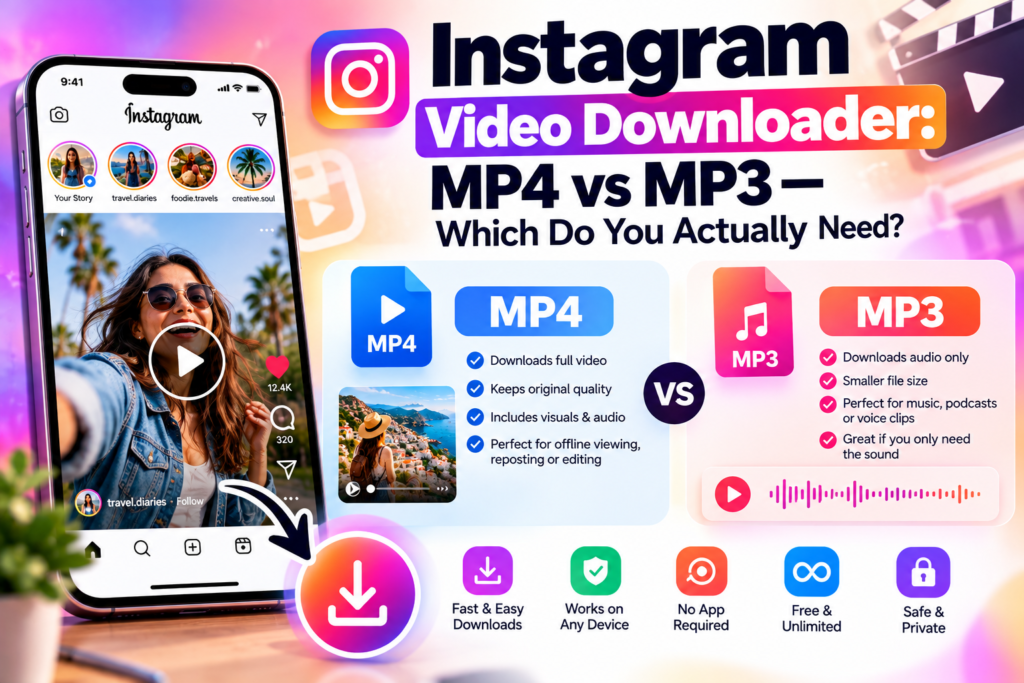
Choose MP4 (video) if you want to watch, repost, edit, or share the actual footage — the visuals matter, not just the audio.
Choose MP3 (audio only) if the video itself doesn’t matter and you only want the sound — a voiceover, a podcast clip, background music you liked, or a sound you want to reference or reuse (subject to licensing, covered below).
If you’re not sure yet, default to MP4 — you can always extract audio from a video file later, but you can’t reconstruct video from an audio-only file.
What Each Format Actually Gives You
MP4 (Video)
An MP4 download through our Instagram Reels Downloader or Post Downloader gives you the complete video file — visuals and audio together, at whatever resolution Instagram served for that specific post (typically 720p or 1080p). This is what you want for:
- Saving your own content for backup or a portfolio
- Repurposing a clip across other platforms (with proper rights if it’s not your own content)
- Watching offline
- Any use case where the visual content is the point
MP3 (Audio Only)
An MP3 download through our Instagram to MP3 Converter strips the video entirely and gives you just the audio track, typically encoded at 128–192kbps. This is what you want for:
- Saving a voiceover, spoken segment, or podcast-style clip
- Keeping a sound or piece of music for reference listening
- Reducing file size dramatically when you have no use for the visual at all
- Any use case where you’d otherwise download the video just to extract the sound yourself later
Why Not Just Always Download the Video?
Technically you could always grab the MP4 and extract audio yourself later if you change your mind — so why does a dedicated MP3 option matter?
File size. A video file is significantly larger than the same content as audio-only — often 5–10x, depending on resolution and length. If you’re saving dozens of clips purely for the audio (a common use case for people building sound libraries or collecting voiceovers), that adds up fast.
Speed and convenience. Extracting audio from a downloaded video requires a separate conversion step and separate software. Downloading directly as MP3 skips that entirely — you get the file you actually wanted in one step.
Storage on mobile. Video files fill up phone storage quickly. If you’re archiving audio-only content — interviews, podcast clips, voice notes shared as Reels — MP3 downloads keep your device lighter.
Quality: What to Actually Expect From Each
This is where most people’s expectations don’t match reality, so it’s worth being precise:
MP4 video quality is capped by whatever Instagram itself served for that specific post — a downloader tool cannot recover resolution or clarity Instagram already compressed away during upload or delivery. What you download is functionally identical to what you’d see watching the video in the app.
MP3 audio quality at 128–192kbps is genuinely good for spoken content, voiceovers, and casual listening — but it is a compressed format, not archival or studio-master quality. If you’re extracting music for anything beyond personal reference (production work, remixing, commercial use), 128–192kbps from a compressed source video is not the audio quality you’d want to build on.
Neither format can exceed the source. Whatever compression Instagram applied when the original was uploaded is baked in — no downloader tool, regardless of what it claims, can restore detail or clarity that’s already been lost.
The Licensing Question Most Downloaders Don’t Mention
This applies specifically to MP3 downloads, and it’s worth being direct about: if the audio you’re extracting is a licensed song from Instagram’s audio library rather than original content the creator made themselves, downloading it as an MP3 does not give you any rights to reuse that audio outside Instagram. Instagram’s music licensing only covers using that sound within the Instagram app — a downloaded MP3 of a popular song is fine to keep for personal reference, but reposting, remixing, or commercially using it without a proper license is a separate legal question entirely.
Original audio — a creator’s own voiceover, spoken content, or music they made themselves — doesn’t carry this restriction the same way, though reuse still generally requires the creator’s permission unless they’ve explicitly made it available.
Side-by-Side Comparison
| MP4 (Video) | MP3 (Audio Only) | |
|---|---|---|
| Best for | Watching, reposting, editing, backup | Voiceovers, podcasts, reference audio |
| Typical file size | Larger (video + audio) | Much smaller (audio only) |
| Quality ceiling | Matches Instagram’s served resolution | 128–192kbps, compressed |
| Licensed music reuse | Same restriction applies to the audio track | Cannot reuse licensed songs commercially |
| Tool to use | Reels Downloader | Instagram to MP3 |
Common Scenarios and Which to Pick
“I want to repost this Reel on another platform.” → MP4. You need the visual content, and reposting requires the original creator’s permission regardless of format.
“I just want that podcast clip someone shared as a Reel.” → MP3. The visual is irrelevant here; audio-only saves space and skips a step.
“I want to remix or sample the music from this video.” → Neither, without checking licensing first. If it’s a licensed track from Instagram’s library, downloading in any format doesn’t grant reuse rights — you’d need to license the track separately through a proper source.
“I’m building a backup of my own content in case my account gets suspended.” → MP4, for everything you post. You want the complete, original file, not just the audio — you can always extract audio from your own backup later if needed.
“I want to reference something someone said in a video without needing to rewatch it.” → MP3. Faster to download, faster to skim through, and takes up a fraction of the storage.
What About Boomerangs, Carousels, and GIF-Style Posts?
Not every Instagram video fits neatly into “Reel” — a few other formats are worth a quick note:
Boomerangs are short looping video clips technically stored as MP4 files, just very short ones (typically 1–2 seconds looped). They download the same way as any other video through the Reels Downloader — you’ll get the underlying short clip rather than a looping GIF, since Instagram doesn’t actually store Boomerangs as GIFs internally.
Carousel posts with video slides need to be downloaded slide by slide. If a carousel mixes photos and videos, the Post Downloader will pull each slide as its own file — a photo slide comes down as JPG/PNG, a video slide as MP4. There’s no way to download an entire mixed carousel as one combined file, since Instagram serves each slide as a separate asset.
IGTV and longer video posts (now integrated into the main feed as longer-form videos) work the same way as any other video post — same MP4 extraction, same quality ceiling based on what Instagram served.
Troubleshooting: When a Download Doesn’t Work
A few things account for nearly every failed download attempt:
The account is private. This is by far the most common cause. If a downloader returns an error or nothing loads, double-check the account’s posts are visible without logging in — open the link in a private/incognito browser window as a quick test.
The post was deleted or the link is wrong. A downloader can only read metadata for content that still exists — a deleted post, an expired Story not saved to Highlights, or a mistyped/truncated link will all fail the same way.
The link is to a profile, not a specific post. Both tools need the direct link to the individual Reel, post, or video — a general profile URL won’t return a specific piece of content to download.
Regional or platform restrictions. Rarely, a specific post may be restricted from certain regions by the poster or by Instagram itself, which can prevent the public metadata from loading correctly even though the account is otherwise public.
How to Download Either Format
Both tools follow the same basic process:
- Find the public Reel, video post, or carousel video you want
- Copy the post’s link
- Paste it into the Reels Downloader for MP4, or the Instagram to MP3 Converter for audio only
- Download the resulting file — no login, no app, no watermark
Both tools only work on public content, for the same reason every legitimate downloader is limited this way: private account content isn’t exposed through the public metadata these tools read, so there’s no way to access it without the account owner’s direct permission.
FAQs
Can I convert a downloaded MP4 to MP3 myself instead of using a separate tool?
Yes, with separate audio-extraction software — but downloading directly as MP3 skips that extra step and gives you a smaller file from the start if you know you only need audio.
Does downloading as MP3 lose quality compared to the original video’s audio?
Slightly — MP3 extraction typically compresses to 128–192kbps, which is good for casual listening and spoken content but not archival quality.
Can I download just the audio from a Reel that’s mostly talking, like a tutorial?
Yes — that’s one of the most common MP3 use cases. You get the spoken content without the larger video file.
Is it legal to download an Instagram video or its audio?
Saving a copy for personal use is generally low-risk. Reposting or reusing someone else’s content — video or audio — publicly requires their permission or a proper license, regardless of which format you downloaded.
Which format should I choose if I’m not sure yet? Default to MP4. You can always extract or convert to audio-only later, but you can’t add video back to an audio-only file.
Do both tools work without an Instagram login? Yes — both the Reels Downloader and the MP3 Converter work from a public post link alone; no login or account connection is required for either.
Why is the MP3 file so much smaller than the video? Because it contains only the audio track — no visual data at all — which is inherently a fraction of the size of a video file covering the same duration.
Can I download the audio from a Story instead of a Reel? Video Stories can be downloaded through our Instagram Story Downloader, which preserves the embedded audio in the video file — a dedicated Story-to-MP3 option isn’t currently separate, so download the Story as video first if you need the audio.
Once you’ve downloaded what you needed, the bigger challenge is usually keeping up with everyone who engages with your own content. See how AutoPubliX automates Instagram replies and DMs — start free for 14 days, no payment today.