


Introduction
Imagine opening Instagram and finding 50+ new messages in your inbox.
Some people ask about prices. Others want to know your business hours. A few may be ready to buy.
Now imagine answering every message by hand.
It takes time. It can also be hard to keep up as your business grows.
This is where Instagram DM automation can help.
It lets you send quick replies to common questions. It can also help you welcome new followers, share useful links, and guide people toward your products or services.
With the right setup, you can spend less time on repeat tasks and more time helping customers.
In this guide, you will learn what automated DM Instagram is, how it works, its key benefits, and how to use it for your business.
What Is Instagram DM Automation?
Instagram DM automation is a way to send messages to people on Instagram with less manual work.
DM stands for direct message. It is a private message sent between Instagram users.
With automation, you can set up replies for common questions or certain actions. The system then sends a message when the set conditions are met.
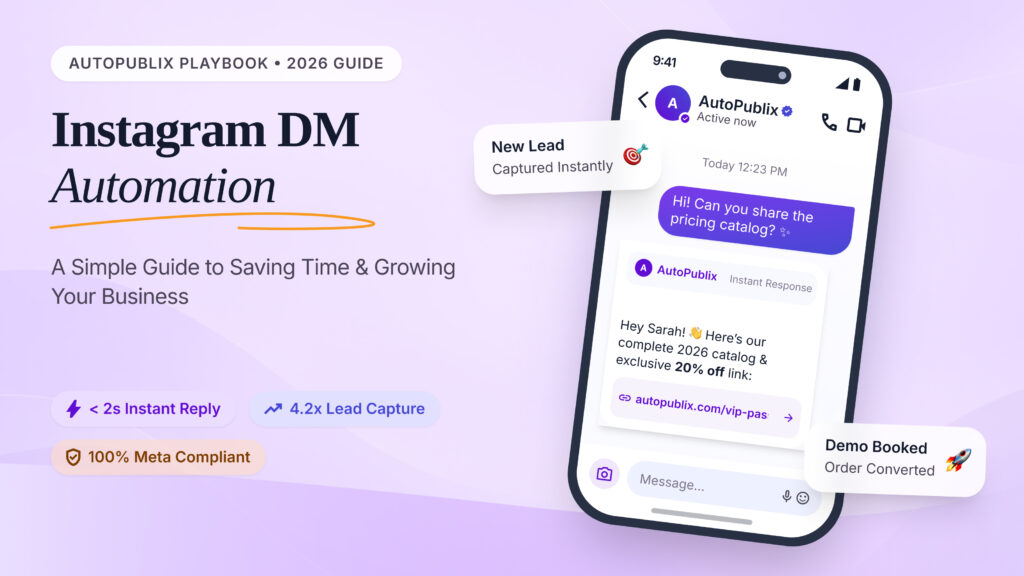
For example, a customer may send the word “PRICE” to your business account.
Your system can reply with a message that shares your price list or product link.
You do not need to type the same answer every time.
Many Instagram automation tools help businesses set up these simple workflows.
How Does It Work?
The process is simple:
- A person sends a message or takes an action.
- The system checks the trigger.
- It finds the matching reply.
- It sends the message.
- The person can continue the conversation.
Here is a simple example:
| Customer action | Automated reply |
| Sends “Price” | Shares a price list |
| Asks about business hours | Shares opening hours |
| Sends “Catalog” | Shares a product catalog link |
| Asks for a booking | Shares a booking link |
| Sends a common question | Shares a saved answer |
The goal is not to replace human support.
The goal is to make simple conversations faster and easier.
Why Does Instagram DM Automation Matter?
People often use Instagram to learn about a business.
They may view your posts, watch your Reels, or visit your profile. When they have a question, they may send you a DM.
A slow reply can make them lose interest.
A fast and useful reply can help them take the next step.
For small businesses, this matters because time is limited.
You may have to manage sales, content, customer support, and daily tasks at the same time.
Automation can help reduce the work that repeats every day.
Key Benefits of Instagram DM Automation
| Benefit | How it helps your business |
| Saves time | Reduces repeated typing |
| Faster replies | Helps customers get answers sooner |
| Better workflow | Keeps common replies organized |
| Supports lead generation | Helps people find forms or product links |
| Improves customer support | Gives quick answers to common questions |
| Helps business growth | Makes it easier to manage more messages |
These benefits can be useful for both small businesses and marketing agencies.
5 Ways to Use Instagram DM Automation
You do not need a complex system to get started.
A few simple Instagram DM automation workflows can make a big difference.
1. Welcome New Followers
A new follower may be interested in your business.
A welcome message can help them learn more about what you offer.
For example:
“Thanks for following us! We share helpful tips and updates every week. Want to learn more about our services? Send us a message.”
Keep your welcome message short and friendly.
Avoid sending too many messages to someone who has just followed you. Give them a reason to engage, but do not pressure them.
2. Answer Common Questions
Many businesses receive the same questions every day.
These may include:
- What is the price?
- Do you offer free shipping?
- Where are you located?
- What are your business hours?
- How can I place an order?
You can create saved replies for these questions.
For example:
“Thanks for your interest! You can view our current prices here: [Your Link]. If you need help choosing a product, just reply to this message.”
This is one of the easiest ways to DM Instagram workflows.
3. Share Product or Service Details
People often want more information before making a purchase.
You can set up a reply that shares a product page, service list, or catalog.
For example:
“Thanks for asking about our service! You can find the full details here: [Your Link]. Let us know if you have any questions.”
This helps people find the information they need without waiting for a manual reply.
4. Support Lead Generation
Not every person who sends a DM is ready to buy.
Some people are still learning about your business.
You can guide them toward useful resources.
For example, a person may ask about your service.
Your reply could share:
- A product page
- A pricing page
- A booking link
- A contact form
- A useful guide
This helps people move from interest to action.
Keep the process simple. Ask for only the information you need.
5. Guide Customers to Human Support
Automation works well for simple questions.
But some conversations need a real person.
A customer may have a complaint, a special request, or a problem with an order.
In these cases, your automated reply should make it easy to get help.
For example:
“Thanks for reaching out. This question needs a little more help from our team. Please share your order number, and we will guide you.”
A good automation system should support your team, not create a barrier between your business and its customers.
Automated Instagram Messages: Examples You Can Use
The best messages are clear, friendly, and useful.
Here are a few examples you can adapt for your business.
| Situation | Example message |
| Welcome message | “Hi! Thanks for reaching out. How can we help you today?” |
| Price question | “Thanks for your interest! You can view our prices here: [Link].” |
| Product question | “You can find more details about this product here: [Link].” |
| Business hours | “We are open from 9 AM to 6 PM, Monday to Saturday.” |
| Booking request | “You can book a time that works for you here: [Link].” |
| Human support | “Our team can help with this. Please share a few more details.” |
Use these as a starting point.
Change the wording to match your brand voice.
Also, make sure the information in your replies is correct and up to date.
How to Set Up DM Automation on Instagram
You can start with a simple workflow.
Here are the basic steps.
Step 1: Choose Your Goal
First, decide what you want automation to do.
Do you want to answer common questions?
Do you want to share product links?
Do you want to help people book a service?
Start with one clear goal.
Step 2: Find the Right Tool
Choose an auto DM Instagram tool that supports your needs.
Some tools focus on simple replies. Others offer more advanced workflows.
Look for features such as:
- Keyword-based replies
- Message templates
- Workflow triggers
- Human handoff options
- Reporting and analytics
Before choosing a tool, check its current Instagram support and account requirements.
Step 3: Create Your Message
Write a short reply for your chosen goal.
Use simple words.
Make sure the message answers the customer’s question or gives them a clear next step.
Step 4: Set the Trigger
A trigger tells the system when to send a message.
For example, you may set a trigger for a keyword such as “PRICE.”
When a person sends that keyword, the system can send the matching reply.
Step 5: Test Your Workflow
Test the setup before using it with customers.
Check that:
- The right message is sent.
- Links work correctly.
- The reply is easy to understand.
- The workflow does not send unwanted messages.
- Customers can reach a person when needed.
A small test can help you avoid bigger problems later.
How to Choose the Right Instagram Automation Tool
There are many tools available.
The best choice depends on your business size, goals, and daily workflow.
When comparing an Instagram automation tool, focus on what your business needs.
| Feature | Why it matters |
| Easy setup | Helps you start without complex steps |
| Message templates | Saves time when creating replies |
| Keyword triggers | Helps send relevant responses |
| Workflow control | Lets you manage how messages are sent |
| Human support options | Helps with questions automation cannot solve |
| Analytics | Shows how your workflows perform |
| Platform support | Helps you manage the channels you use |
Do not choose a tool only because it has many features.
Choose one that solves your main problem.
If you receive many repeated questions, start with tools that make those replies easier to manage.
If you run an agency, look for features that support your team’s workflow.
Common Instagram DM Automation Mistakes to Avoid
Automation can save time, but poor setup can hurt the customer experience.
Here are some common mistakes to avoid.
Sending Too Many Messages
People do not want to receive several messages they did not ask for.
Keep your replies useful and relevant.
Using Robotic Language
Your messages should sound natural.
Instead of saying:
“Your request has been processed.”
Try:
“Thanks! Here is the information you asked for.”
Ignoring Customer Needs
Not every question has the same answer.
Make sure your system can guide people to the right information.
Forgetting to Update Messages
Prices, products, and business hours can change.
Review your automated replies often.
Ignoring Instagram Rules
Use automation in a way that follows Instagram’s current rules and messaging limits.
Avoid spam, unwanted bulk messages, and methods that put your account at risk.
How AutoPubliX Can Support Your Social Media Workflow
Managing social media can take a lot of time.
You may need to plan posts, manage content, and keep your daily tasks organized.
AutoPubliX is a social media automation tool designed to help businesses manage their social media work more efficiently.
For businesses exploring DM automation Instagram workflows, it is important to check which messaging features are available in the product and which platforms they support.
AutoPubliX can be part of a broader social media workflow by helping businesses organize and manage their social media activities.
The best approach is to use automation where it makes sense while keeping customer conversations helpful and personal.
Explore AutoPubliX to learn more about how it can support your social media workflow.
Frequently Asked Questions
1. Is Instagram DM Automation Free?
Some basic options may be free. Other tools charge for advanced features. Check the current pricing and feature limits before choosing a tool.
2. Can I automate Instagram DMs?
Yes. You can use supported tools and features to automate certain Instagram message replies. The available options depend on your account and the tool you choose.
4. Is Instagram DM Automation Safe?
It can be safe when used with approved tools and within Instagram’s rules. Avoid spam and unwanted messages.
Conclusion
Instagram is more than a place to share photos and videos.
It is also a place where people ask questions, explore products, and connect with businesses.
When your inbox gets busy, answering every message by hand can become difficult.
Automation can help you manage common questions, share useful links, and guide customers toward the next step.
Start small.
Choose one repeated question. Create a helpful reply. Test it. Then improve your workflow as your business grows.
With the right approach, Instagram DM automation can help you save time while keeping your customer conversations useful and personal.

