


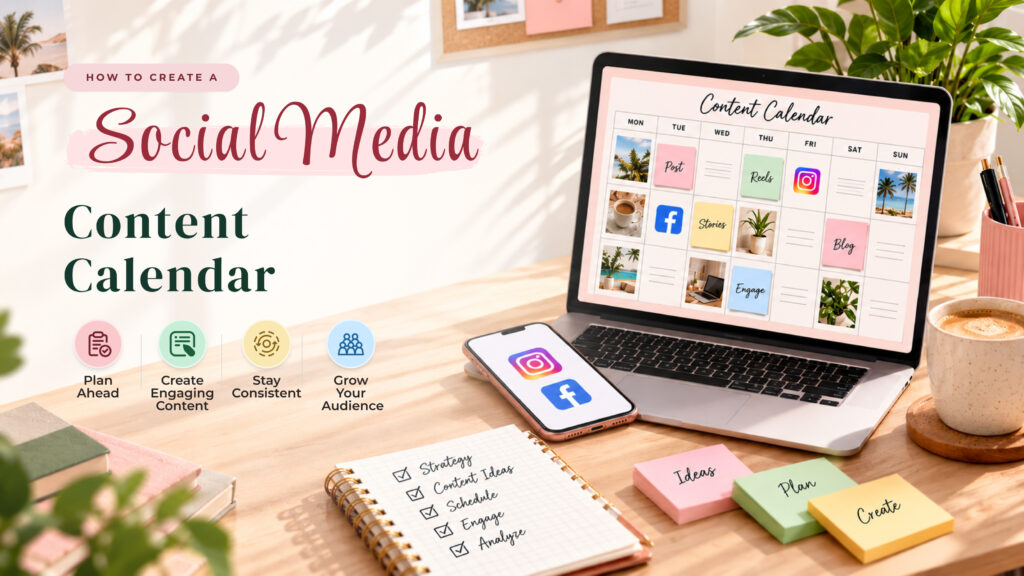
Introduction
Posting on social media sounds easy.
You take a photo, write a caption, and share it with your audience. But when you run a business, there is much more to do.
You need fresh ideas. You need to plan your posts. You also need to decide when and where to publish them.
Doing all this every day can become stressful.
This is where a social media content calendar can help.
It gives you a clear plan for your Facebook and Instagram posts. You can see what to publish, when to publish it, and what each post should achieve.
You no longer need to search for ideas at the last minute.
In this guide, you will learn how to create a social media content calendar, plan engaging posts, and build a simple content routine. You will also discover how AutoPubliX can help simplify your social media content planning.
1. What Is a Social Media Content Calendar?
A social media content calendar is a plan for your social media posts.
It shows what you will share and when you will share it. It can also include captions, images, hashtags, and post ideas.
Think of it as a weekly or monthly plan for your social media accounts.
For example, a small business may use this schedule:
| Day | Facebook Content | Instagram Content |
| Monday | Product introduction | Product photo |
| Tuesday | Customer question | Instagram Story |
| Wednesday | Helpful business tip | Educational Reel |
| Thursday | Customer feedback | Customer testimonial |
| Friday | Special offer | Promotional post |
This simple plan helps you stay organized.
You can prepare your content in advance instead of creating every post on the same day.
A social media calendar also helps you keep your content balanced. You can share useful tips, product updates, customer stories, and promotional posts.
The goal is not to post more.
The goal is to post with a clear purpose.
2. Why Do Businesses Need a Social Media Calendar?
Managing Facebook and Instagram without a plan can take a lot of time.
You may forget to publish a post. You may repeat the same ideas. You may also miss important dates or business events.
A social media calendar helps solve these problems.
Here are some of its main benefits.
Save Time
Planning your posts in advance can reduce daily work.
You can spend one day preparing content for the entire week. This gives you more time to focus on customers, sales, and other business tasks.
Stay Consistent
Your audience needs regular content to stay connected with your business.
A calendar helps you create a steady posting routine. You can plan posts for the days that work best for your audience.
Keep Your Content Organized
A calendar gives every post a place.
You can track ideas, captions, images, and publishing dates in one organized plan.
This makes it easier to manage content across Facebook and Instagram.
Support Business Goals
Every post should have a purpose.
Some posts can help people discover your business. Others can answer questions, build trust, or encourage people to visit your website.
A clear calendar helps you connect your content with your business goals.
3. How to Create a Content Calendar for Social Media
Creating a content calendar does not need to be difficult.
You can start with a simple spreadsheet or use a social media management tool.
Follow these steps to build a useful plan.
Step 1: Set Your Social Media Goals
Start by asking yourself one question:
What do you want your social media content to achieve?
Your goals may include:
- Increase brand awareness.
- Get more website visits.
- Generate leads.
- Build customer trust.
- Increase product sales.
Choose two or three goals that matter most to your business.
For example, a small clothing business may want to increase product sales and attract more Instagram followers.
Its content should include product photos, styling tips, customer reviews, and special offers.
Your goals will guide your content decisions.
Step 2: Understand Your Audience
Good content starts with your audience.
Think about the people you want to reach.
What problems do they have? What questions do they ask? What type of content do they enjoy?
For example, a fitness business may share workout tips, healthy habits, and beginner-friendly exercise guides.
A marketing agency may share social media tips, campaign ideas, and business growth advice.
When you understand your audience, it becomes easier to create useful content.
Step 3: Choose Your Content Categories
Content categories help you avoid posting the same type of content again and again.
They also make planning easier.
Here are five useful content categories:
| Content Category | Example |
| Educational | Share tips and helpful guides |
| Promotional | Introduce products or services |
| Engagement | Ask questions or run polls |
| Trust-building | Share reviews and customer stories |
| Behind the scenes | Show your team or daily work |
Try to use a mix of these categories.
For example, you can share educational content on Monday, a customer story on Wednesday, and a promotional post on Friday.
This keeps your content fresh and interesting.
Step 4: Choose Your Posting Frequency
You do not need to publish every day.
Start with a schedule you can maintain.
For example:
- Facebook: 3 posts per week.
- Instagram: 3 to 4 posts per week.
- Instagram Stories: Share updates when relevant.
The right frequency depends on your audience, resources, and content goals.
Focus on creating useful posts rather than publishing just to fill your calendar.
Step 5: Plan Your Content in Advance
Now, add your ideas to your calendar.
Include the publishing date, platform, content type, caption, and status.
Your calendar may look like this:
| Date | Platform | Content Idea | Status |
| Monday | Business introduction | Draft | |
| Tuesday | Product Reel | Ready | |
| Wednesday | Helpful business tip | Planned | |
| Friday | Customer review | Ready |
This makes your content easier to manage.
It also helps you see which posts are ready and which still need work.
4. How to Build an Instagram Content Calendar
Instagram offers several ways to connect with your audience.
You can share photos, Reels, Stories, and carousel posts. Each format can serve a different purpose.
An Instagram content calendar helps you plan these formats in advance.
Use Different Content Formats
Avoid sharing the same type of post every day.
Instead, try a mix of content.
Reels: Use short videos to share tips, product demonstrations, or behind-the-scenes moments.
Carousel posts: Share step-by-step guides, lists, or educational content.
Stories: Share quick updates, polls, questions, or daily moments.
Feed posts: Share product photos, announcements, and useful information.
For example, a beauty business may share a skincare Reel on Monday, a product carousel on Wednesday, and a customer review on Friday.
This creates variety without making content planning complicated.
Plan Around Important Dates
Your Instagram content calendar can also include important dates.
These may include:
- Product launches.
- Seasonal campaigns.
- Holidays.
- Special offers.
- Business anniversaries.
Planning these events early gives you more time to create strong content.
You can also prepare captions and visuals before the campaign begins.
Review Your Instagram Performance
Planning is only one part of the process.
You should also review your results.
Look at which posts receive more engagement, reach, saves, and website visits.
Use these insights to improve your next calendar.
If educational carousels perform well, consider creating more of them.
If your audience responds to Reels, explore more short-video ideas.
Your Instagram content calendar should change as you learn more about your audience.
5. How to Use a Social Media Content Planner for Facebook and Instagram
A content planner can make your workflow easier.
Instead of managing every post separately, you can organize your ideas, captions, and publishing plans in one place.
When choosing a content planner, look for features that match your needs.
Keep Your Content in One Place
A useful planner should help you organize your content.
You can group posts by platform, campaign, or publishing date.
This makes it easier to manage Facebook and Instagram content without losing track of your ideas.
Prepare Posts in Advance
Writing captions at the last minute can be frustrating.
Prepare your captions, images, and hashtags ahead of time.
You can also adapt the same idea for both platforms.
For example, a Facebook post may include a longer explanation. An Instagram post may use a shorter caption with a strong visual.
The main message can stay the same while the format changes.
Create a Repeatable Workflow
A simple content workflow can look like this:
- Collect content ideas.
- Choose the best ideas for the week.
- Write captions.
- Prepare images or videos.
- Review the content.
- Add posts to your calendar.
- Track the results.
This process helps reduce confusion.
It also makes content planning easier for small businesses and marketing agencies that manage multiple accounts.
A content planner social media teams use should support this workflow without making the process more complicated.
6. How AutoPubliX Can Simplify Social Media Content Planning
Managing Facebook and Instagram content can become difficult as your business grows.
You may need to handle more posts, more campaigns, and more customer interactions.
AutoPubliX can help businesses simplify their social media management and automation workflows.
Instead of treating every post as a separate task, businesses can build a more organized approach to their social media activities.
For businesses using Facebook and Instagram, a planned content workflow can help them:
- Organize content ideas.
- Prepare posts in advance.
- Maintain a more consistent publishing routine.
- Reduce repetitive manual work.
- Manage social media activities more efficiently.
The exact workflow depends on the features available in your AutoPubliX account.
For example, a small business can plan its weekly content around product updates, helpful tips, and customer stories.
A marketing agency can use a structured planning process to keep client content organized.
The purpose is simple: spend less time managing repetitive tasks and more time creating useful content.
If you are looking for a social media content planner, explore how AutoPubliX can support your Facebook and Instagram workflow.
Conclusion
Creating a social media content calendar does not need to be complicated.
Start with clear goals. Understand your audience. Choose a few content categories and build a schedule you can maintain.
Plan your Facebook and Instagram posts in advance. Use different content formats. Review your results and improve your plan over time.
A good calendar helps you stay organized, save time, and create content with a purpose.
You do not need a perfect plan from day one.
Start with one week of content. Learn what works. Then build a better routine.
Ready to make social media content planning easier?
Explore AutoPubliX and discover how a more organized social media workflow can support your business growth.
Find Out More: https://blog.autopublix.com/

