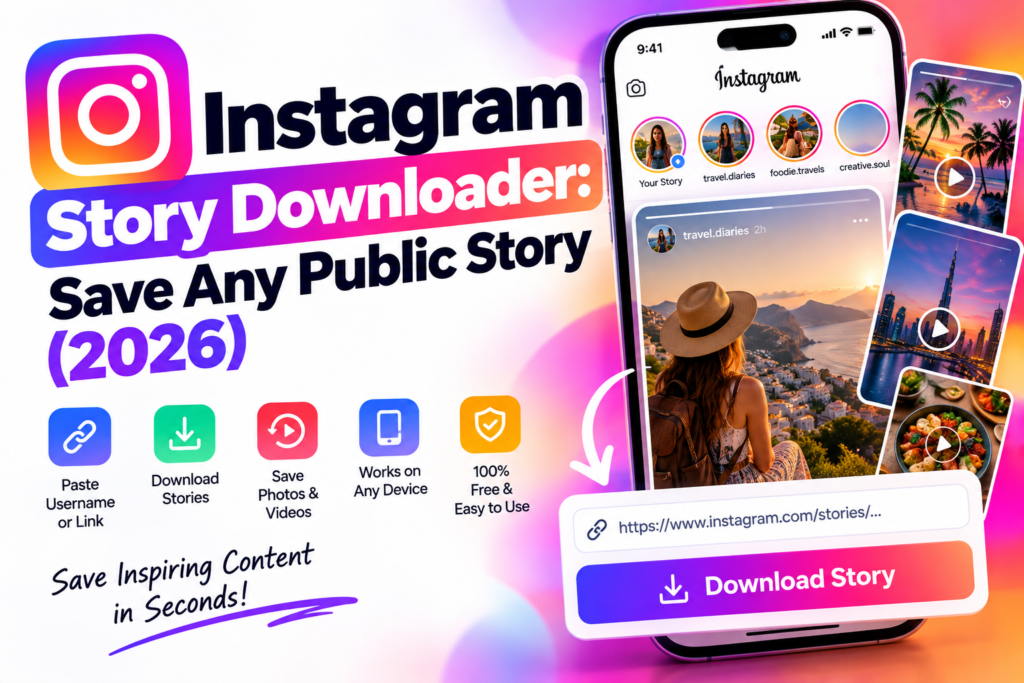
Instagram Stories disappear after 24 hours by design — which is exactly why “how do I save this before it’s gone” is one of the most common things people search for on Instagram. Whether it’s a story you want to keep for yourself, a moment a brand posted that you want to reference later, or content you’re archiving for your own account, an Instagram Story downloader solves a problem Instagram deliberately doesn’t solve for you.
This page covers exactly how Story downloading works, what it can and can’t do, and how to save a Story in under 10 seconds — along with the honest limitations most “story saver” tools don’t mention upfront.
What Is an Instagram Story Downloader
An Instagram Story downloader lets you save a public account’s Story — photo or video — as a file on your device, without needing the Instagram app open or an account of your own logged in through the tool. You paste a link or enter a username, and the tool pulls the Story’s direct media file so you can save it before it expires.
This is different from Instagram’s own “Save” feature, which only lets an account save its own Stories to their personal archive — not someone else’s, and not to your device as a standalone file you can share, edit, or repost elsewhere.
Why Instagram Stories Need a Separate Tool
It’s worth understanding why this isn’t just a feature of the Reels or Post downloader, even though the underlying idea is similar:
Stories expire. A Reel or a feed post stays on a profile indefinitely (unless deleted), so a Reels or Post downloader can pull from it any time. A Story is only live for 24 hours (or indefinitely if added to Highlights), which means the tool has to grab the file while it’s still active — there’s no downloading a Story that already expired and wasn’t saved to Highlights.
The metadata structure is different. Instagram serves Stories through a different endpoint than feed posts or Reels, with a different media format and expiry logic attached. A downloader built for feed content generally can’t read Story data correctly without being built for it specifically — which is why “Reels downloader” and “Story downloader” are usually separate tools even on the same site.
Highlights complicate things further. A Story saved to a profile’s Highlights is technically still a “Story” in Instagram’s system, but it doesn’t expire — which is why a proper Story downloader needs to handle both the 24-hour live version and the permanent Highlights version.
How It Works
The mechanics follow the same public-metadata principle as any legitimate downloader (also explained in our free Instagram tools guide):
- Paste the profile’s username or Story link. You don’t need to be following the account — only that the account is public and the Story is currently active (or saved to Highlights).
- The tool reads the Story’s public metadata. This is the same information your own browser or the Instagram app loads to display the Story to any public viewer — the tool isn’t accessing anything private or bypassing any privacy setting.
- The direct media file is extracted. Photo Stories return as a JPG or PNG; video Stories return as an MP4, at whatever resolution Instagram served for that Story.
- You download the file. No account connection, no login, no app install.
The entire process typically takes under 10 seconds per Story, since there’s no conversion step involved — the file is already in the correct playable format.
What You Can and Can’t Download
Being upfront about this matters more here than with any other downloader tool, because Story-specific limitations trip people up more often:
You can download: any public account’s currently active Story (photo or video), and any Story a public account has saved to their Highlights.
You cannot download: a private account’s Story (same rule as every other downloader — private content isn’t accessible to anyone who isn’t an approved follower), or a Story that has already expired and was never added to Highlights. Once a 24-hour window closes without the poster saving it, that Story is gone from Instagram’s own servers, not just hidden — no tool, official or third-party, can retrieve it after that point.
A note on Story replies and interactive elements: polls, question stickers, quizzes, and links attached to a Story are part of that account’s engagement data, not part of the media file itself — a downloader saves the visual Story (image or video, including any text/sticker overlays baked into the image), but interactive elements won’t function in the downloaded file the way they do live on Instagram.
Step-by-Step: How to Save an Instagram Story
- Open the Story you want to save on Instagram and copy the username of the account that posted it (or the direct Story link, if your device supports copying it)
- Paste the username or link into the Story downloader
- The tool will display the account’s currently active Stories (or a specific one, if you linked directly)
- Select the Story you want and choose download
- The file saves directly to your device — no extra steps, no account connection required
If the Story has already expired and wasn’t saved to Highlights, no downloader will be able to retrieve it — this is an Instagram-side limitation, not a tool limitation.
Photo vs. Video Stories: What to Expect
Photo Stories download at the resolution Instagram stored the original image at — generally sharp, since Instagram compresses Story images less aggressively than feed images.
Video Stories download at whatever resolution Instagram served for that specific Story, typically 720p or 1080p depending on the original upload quality and how it was processed. As with any downloader, the tool can only extract what Instagram is already serving — it can’t recover detail Instagram’s own compression already removed.
Stories with music stickers download as a video file with the audio embedded, the same as a Reel — but the same licensing caveat applies: if the Story uses a licensed song from Instagram’s audio library, downloading the file doesn’t grant you rights to reuse that audio outside Instagram. Treat music-backed Stories the same way you’d treat licensed audio in a downloaded Reel — fine to keep for personal reference, not for republishing.
Common Use Cases
Personal archiving. Saving a moment from a friend’s or family member’s Story before it disappears — the single most common reason people search for this.
Brand and competitor monitoring. Marketing teams tracking what competitors post to Stories — often where brands test messaging or promotions they don’t put in the main feed — need a way to reference that content after it expires.
Creators backing up their own content. The same account-suspension risk that applies to Reels and Posts applies to Stories — if you lost your own Story archive, a downloader is a fast way to rebuild your own backup outside Instagram’s ecosystem.
Press and media use with permission. Journalists or researchers referencing a public figure’s or brand’s Story as part of a story or report, with appropriate attribution or permission for reuse.
Saving limited-time promotions. Discount codes, giveaway details, or time-sensitive announcements that brands often post only to Stories rather than the permanent feed.
Is It Safe?
The same rules apply here as to every tool in this category, and they’re worth repeating because Story-related tools attract a disproportionate number of shady clones:
Never enter your Instagram password. A legitimate Story downloader needs a public username or link — nothing more. Any tool asking for your login credentials to “unlock more downloads” or “verify your account” is not a downloader you should trust with that information.
Be wary of tools claiming to show private accounts’ Stories. This is the single most common bait used by low-quality or malicious “story viewer” sites — it is not technically possible without account access Instagram doesn’t grant to third parties, so a tool claiming otherwise is either non-functional or a security risk.
Watch for “anonymous story viewing” claims. A legitimate downloader doesn’t need to make privacy claims about your own viewing activity — anonymous viewing is really just about whether the tool visits the Story on your behalf rather than through your logged-in account, not some special access method. Be skeptical of tools that oversell this as a unique feature.
Instagram Story Downloader vs. Our Other Tools
| Tool | Best for | Expires? |
|---|---|---|
| Story Downloader | Saving Stories before the 24-hour window closes | Yes — must download before expiry (unless in Highlights) |
| Reels Downloader | Saving permanent Reel content | No — available anytime the Reel is public |
| Post Downloader | Saving feed photos and carousels | No — available anytime the post is public |
| Instagram to MP3 | Extracting audio from a Reel or video Story | No, but source video should still be accessible |
| Threads Downloader | Saving Threads posts | No |
See the full breakdown of all our free Instagram tools for the complete picture of what each one does and when to use it.
Beyond Saving Stories: Managing Your Own
Downloading is about capturing content that already exists. If you’re the one posting Stories regularly — especially for a business or creator account — the harder problem usually isn’t saving content, it’s keeping up with what happens after you post: replies to your Stories, comments on the posts you’re driving people to, and DMs from people who engaged.
That’s a different kind of tool entirely. AutoPubliX handles the other side of this — automatically replying to Story mentions and comments, turning engagement into organized conversations, and scheduling your Stories and posts across platforms from one dashboard. See the Instagram DM automation guide for how that works, or start a 14-day free trial to see it running on your own account.
FAQs
Is it free to download Instagram Stories?
Yes — no payment or account required to download a public account’s Story.
Can I download a Story from a private Instagram account?
No. Only public accounts’ Stories can be downloaded — private account content isn’t accessible to any third-party tool, since Instagram restricts it to approved followers only.
Can I download a Story after it’s already expired?
Only if the account saved it to their Highlights. Once a Story’s 24-hour window closes without being added to Highlights, it’s removed from Instagram’s own servers and can’t be recovered by any tool.
Does the account know if I downloaded their Story? No — downloading a public Story through a third-party tool doesn’t notify the account, since it’s accessed through public metadata rather than your own logged-in Instagram session.
Can I download a Story with a poll, question, or link sticker? You can download the visual Story itself, including any overlay baked into the image or video, but interactive elements like polls and question stickers won’t be functional in the downloaded file — those are live features tied to Instagram’s own system, not part of the media file.
Is downloading someone else’s Story legal? Saving a copy for personal use is generally low-risk, but reposting or reusing someone else’s Story content publicly requires their permission, same as with any other content type.
What file format do downloaded Stories come in? Photo Stories download as JPG or PNG; video Stories download as MP4, matching whatever format Instagram originally served.
Do I need the Instagram app to use a Story downloader? No — the tool works entirely through a browser using the public username or Story link; no app install or account login is required.
Managing what happens after people engage with your Stories? See how AutoPubliX automates replies and DMs — start free for 14 days, no payment today.