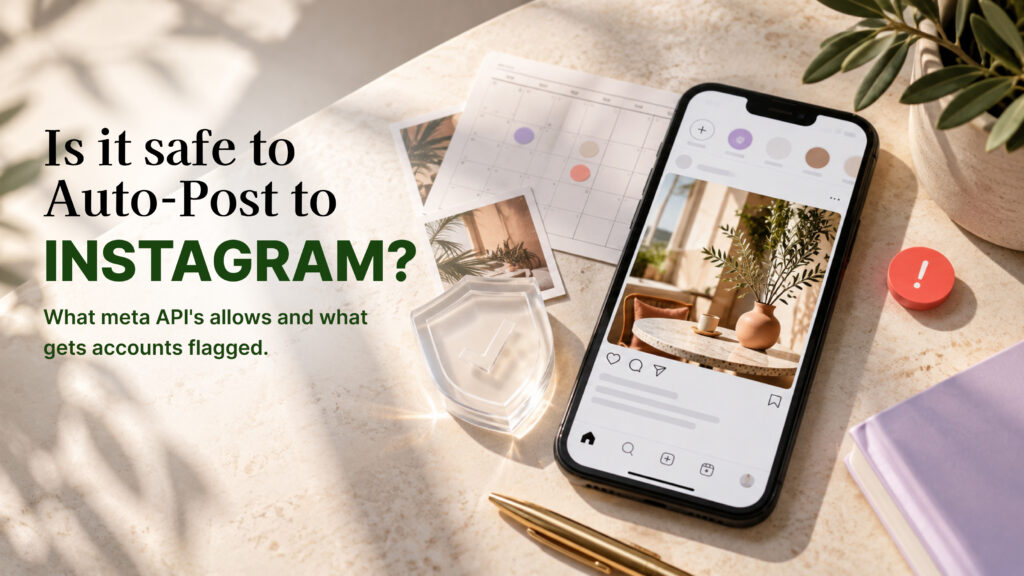
Scheduling Instagram posts is safe when it goes through the access method Meta built for it. It is risky when the tool gets in some other way. That one distinction explains almost every horror story about accounts getting restricted for “automation,” and it is also why the same word, “automation,” gets used for two very different things.
This guide explains what Meta’s official publishing API allows, what actually triggers the “we suspect automated behavior” warning, how to check a tool before you connect your account, and what to do if you’ve already been flagged.
The Short Answer
Auto-posting is safe if both of these are true:
- The tool connects to your account through Instagram’s official API, using Meta’s own login and permission screen.
- The tool only publishes content that you created, on your own account.
It becomes unsafe when a tool logs into your account with your password, drives a browser to click through Instagram like a person, or performs actions on other people’s accounts. Those methods are what Instagram’s detection systems are built to catch.
What Meta’s Official API Actually Allows
Instagram offers a content publishing API for professional accounts (Business and Creator). Third-party scheduling tools use it, and it is the sanctioned route.
What it supports. Publishing your own photos, videos and Reels, and carousel posts, with Stories support in more recent versions. The tool uploads your content and publishes it at the time you set. Support for specific formats and features varies by tool and by Meta’s current API version.
How you grant access. You are sent to an Instagram or Facebook screen that lists exactly which permissions the tool is requesting, such as a content publishing permission, and you approve them. You can see and revoke that access later from your account settings. The tool never sees your password.
What it limits. Meta caps how many posts can be published through the API per account in a rolling 24-hour period. The cap is generous enough that normal posting never reaches it, but it exists, and it is part of how the system protects against abuse.
What it doesn’t do. Equally important is what the publishing API does not offer: there is no sanctioned way to like posts, follow accounts, comment on other people’s content, or scrape data in bulk. A tool offering any of those isn’t using a hidden advanced feature of the API. It’s working around it.
What Gets Accounts Flagged
Instagram doesn’t penalize scheduling. It penalizes behavior that looks automated and unauthorized. These are the patterns that trigger warnings, in rough order of how often they cause trouble.
Bulk engagement on other people’s content. Auto-liking, auto-following, auto-commenting and auto-unfollowing at volume. These are the core activity of “growth bots,” and the activity Instagram is most aggressive about detecting. There is no official API for any of it, so tools that do it are operating outside sanctioned access.
Logging in through unofficial access. A tool that asks for your username and password, then signs in on your behalf, often from a server in a different country than where you normally log in. That mismatch alone can trigger a security check, separate from anything the tool does once it’s in.
Browser automation. Software that controls a browser or a phone emulator to click through Instagram’s interface. It moves at speeds and in patterns a human wouldn’t, which is detectable.
Sudden unnatural spikes. A dormant account that suddenly posts, follows or messages at high volume. Instagram looks at behavior relative to an account’s own history.
Repetitive, spam-like content. Identical posts or comments published many times, or the same link pushed repeatedly. This is a content-quality issue that can reduce reach or trigger restrictions regardless of how the posts are published.
Using several unofficial tools at once. Layering tools that all log in or act on the account multiplies the unusual activity Instagram sees.
Notice what is not on this list: publishing your own scheduled posts through an authorized connection.
What the Warnings Look Like and What They Mean
Instagram uses a few different responses, in rough order of severity.
“Try again later” or an action block. A temporary stop on a specific action, such as liking, following or commenting. It usually lifts after a period. Repeated action blocks are a signal your activity looks unusual.
“We suspect automated behavior on your account.” A direct warning, often with a prompt to confirm you’re a real person or change your password. Treat it as a serious signal, not an error.
A security checkpoint or forced password reset. Frequently triggered by a login from an unexpected location or device, which is exactly what a password-based tool produces.
Reduced reach. Content that stops reaching people as it used to. Instagram doesn’t confirm this as a formal penalty, so it’s harder to diagnose.
Suspension or disabling. Reserved for repeated or serious violations, and the outcome you most want to avoid. You can appeal, but there’s no guarantee.
Three Setups, Rated by Risk
The difference between safe and risky is easier to see in concrete cases.
A café owner schedules a week of posts every Sunday. She uses a scheduling tool that sent her to Instagram’s own permission screen. Her account posts at the same times it always did, from the same kind of content, with replies handled by her in the evenings. Risk: low. Nothing about this activity is unusual, and the access method is the sanctioned one.
A freelancer buys a “growth” tool that promises 200 new followers a week. The tool asks for his password, logs in from a server abroad, and starts following and liking hundreds of accounts a day. Within a week he sees an action block, then a prompt to confirm his identity. Risk: high, and none of it comes from posting. It comes from the login method and the outbound activity.
An agency manages ten client accounts through one dashboard. Each client authorized the connection individually through Meta’s screen, and the agency posts on a normal cadence per account. The risk here is operational, not detection: a lapsed connection or a wrong time zone can break a campaign. Keep a record of which clients have authorized access and review it monthly.
The pattern is consistent. Accounts get into trouble over how a tool gets in and what it does to other people’s accounts, rarely over the fact that a post was scheduled.
Common Myths About Auto-Posting
“Instagram can detect any scheduled post and will punish it.” Instagram itself offers scheduling to professional accounts, so scheduling as a behavior is not something it treats as a violation.
“A big tool with lots of users must be safe.” Popularity says nothing about the access method. Check how the tool connects, not how many people use it.
“If I only use it a little, I’m fine.” For an official connection, volume isn’t the main concern. For a password-based or bot-driven tool, even light use sends the same unusual login signals.
“Deleting the app fixes it.” Uninstalling a tool doesn’t remove the access it was granted. Revoke it from your account’s connected apps settings and, if it ever held your password, change the password.
How to Check a Tool Before You Connect It
A few minutes of checking prevents most problems.
Look at how it asks you to connect. Legitimate tools send you to Instagram’s or Facebook’s own login and a permissions screen. If the tool shows its own form asking for your Instagram password, stop.
Read the permissions requested. A scheduling tool should ask for publishing and basic account permissions. Broad, vague or unrelated permissions are worth questioning.
Read what the tool promises. “Schedule and publish your content” and “reply to comments on your posts” describe actions on your own account. “Get more followers automatically,” “auto-like and follow targeted accounts” or “grow while you sleep” describe outbound activity on other people’s accounts. That’s a growth bot, whatever it calls itself.
Check the pricing model. A scheduler is priced by accounts, posts or features. A growth bot is often priced by daily follows or likes. The pricing page tells you what the product really does.
Ask the provider directly. A trustworthy provider can state plainly that it connects through Meta’s official API and explain what happens if the connection lapses. Evasive answers are an answer.
For a broader look at how this applies to messaging and comment tools as well as posting, see is Instagram automation safe and Instagram DM bot vs real automation.
Safe Auto-Posting Habits
Even through an official connection, a few habits keep your account healthy.
Don’t schedule everything. Keep room for real-time posts, replies and reactions. An account that only publishes on a timer and never engages looks and performs differently from one that’s actively run.
Vary your content. Avoid publishing near-identical posts repeatedly. Different captions, different visuals, different angles.
Keep a normal pace. Posting far more than your usual rate overnight is the kind of sudden change worth avoiding. Ramp up gradually if you’re increasing frequency.
Review the queue weekly. Catch failed posts and outdated content before they publish.
Use one scheduling tool. Several tools publishing to the same account can create conflicts and unusual activity.
Keep your own login secure. Turn on two-factor authentication, and don’t share your password with anyone, including a tool.
For the full scheduling workflow, see our step-by-step guide to automating Instagram posts.
If You’ve Already Been Flagged
If your account got a warning or restriction, a few steps in order help most.
- Stop all automation. Pause every tool connected to the account, especially anything that acts on other accounts. Continuing while restricted makes things worse.
- Revoke unofficial access. Disconnect any tool that has your password or any access you’re unsure about, and review connected apps in your account settings.
- Change your password and turn on two-factor authentication. If a tool had your credentials, assume they’re compromised.
- Follow Instagram’s prompts. Complete any verification it asks for.
- Wait out temporary blocks. Don’t keep trying the blocked action, which can extend the restriction.
- Appeal if the account was disabled. Use the in-app appeal process and provide accurate information.
- Don’t replace one risky tool with another. If the cause was an unofficial tool, switch to an official-API option only after the account is stable again.
Instagram doesn’t publish exact thresholds, so no one outside Meta can tell you precisely what triggered a flag. Work from what you changed recently: a new tool, a new location, a sudden jump in activity.
How AutoPubliX Fits In
AutoPubliX connects to Instagram through Meta’s official API using Meta’s authorization flow, so your password isn’t shared with it. It handles scheduling alongside comment and DM automation for your own account. It doesn’t include auto-like, auto-follow or similar outbound engagement features. See the feature breakdown for what’s included.
FAQs
Is it against Instagram’s rules to schedule posts?
No. Instagram offers scheduling in its own app, and Meta provides an official API for third-party scheduling tools. The rules target unauthorized access and automated behavior, not scheduling itself
Will auto-posting reduce my reach?
Instagram has publicly said that scheduling through its sanctioned tools doesn’t reduce reach (confirm the current statement in Instagram’s Help Center before publishing). What affects reach is the content, timing and engagement.
Can I get banned for using a scheduler?
Using an official-API scheduler is not what leads to bans. Accounts get restricted for unauthorized access, bulk outbound engagement, or violating Instagram’s rules on content, none of which come from scheduling your own posts through an authorized tool.
Want to schedule posts and automate replies through Instagram’s official API? See how AutoPubliX works — start your 14-day free trial, no payment today.