


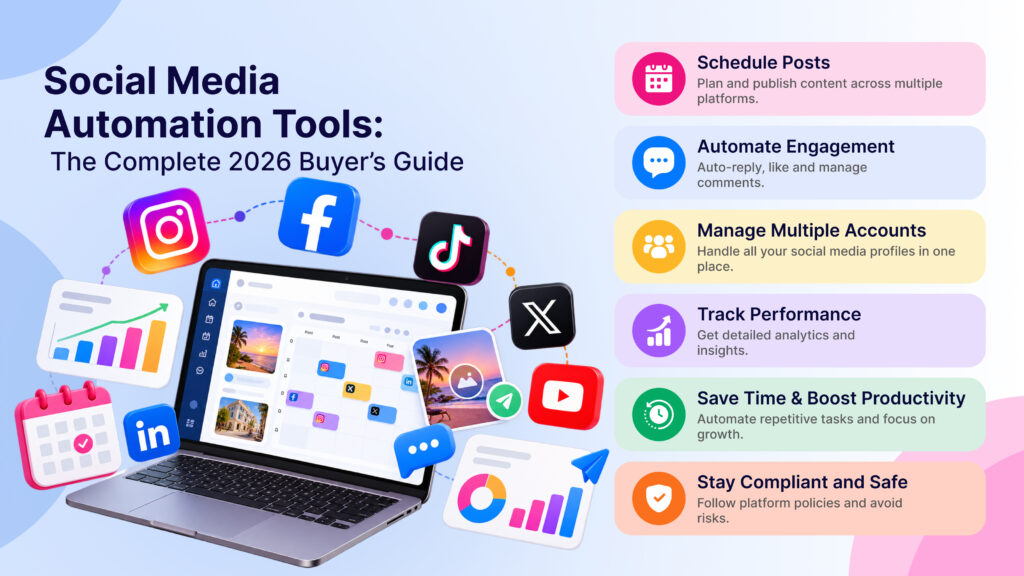
“Social media automation tools” is one of the broadest searches in this entire space — and one of the most poorly served, because most comparison content either lists 20 tools with no real framework for choosing between them, or narrows in on one category (scheduling, or engagement, or analytics) without acknowledging the others exist. This guide is built differently: a complete framework for understanding the actual categories, what separates a good tool from a mediocre one in each, and how to build a buying decision around your business’s real needs rather than a generic feature checklist.
The Four Categories of Social Media Automation
Before comparing specific tools, it helps to understand that “social media automation” isn’t one product category — it’s four distinct ones, often bundled differently by different providers:
1. Publishing and scheduling automation — planning and publishing content across platforms on a schedule, without manually posting to each platform individually. Covered in depth in our multi-platform scheduling guide.
2. Engagement automation — automated replies to comments and DMs, turning engagement into organized conversations. Covered in our Instagram DM automation guide and comment automation guide.
3. Analytics and reporting automation — automatically pulling performance data across platforms into unified reports, rather than manually exporting from each platform’s native analytics.
4. Content creation automation — AI-assisted caption writing, hashtag generation, and increasingly, draft content generation, reducing the blank-page problem for teams posting frequently.
Most businesses need some combination of these, but rarely all four at full depth — the buying mistake is evaluating tools purely on total feature count rather than which of these four categories actually matters most for your specific situation.
How to Figure Out What You Actually Need
A few questions worth answering honestly before evaluating any tool:
Where does your time actually go right now? If most of your current manual effort is spent logging into each platform to post the same content, publishing automation solves your real problem. If it’s spent replying to the same questions repeatedly in DMs and comments, engagement automation matters more.
How many platforms are genuinely active for your business? A business active on Instagram alone has very different needs than one managing Instagram, Facebook, LinkedIn, and X simultaneously — multi-platform tools earn their complexity only when you’re actually using multiple platforms.
What’s your current DM/comment volume, realistically? Under a few dozen interactions a day rarely justifies complex engagement automation; past a hundred a day, manual handling becomes close to impossible to sustain well.
Who’s actually going to configure and maintain this? A solo creator or small team member setting this up alongside other responsibilities needs a different tool than a dedicated social media manager or marketing team with time to build out complex flows.
Must-Have Features by Category
For publishing/scheduling:
- Cross-platform publishing from one dashboard, not per-platform logins
- Visual content calendar for planning ahead, not just queuing posts one at a time
- Platform-specific formatting/adaptation (a caption written for Instagram often needs trimming for X, different tone for LinkedIn)
- Optimal timing suggestions based on actual engagement data, not generic defaults
For engagement automation:
- Keyword-triggered replies with enough flexibility for your actual common questions
- Official platform API compliance — this should disqualify any tool that doesn’t meet it, covered in depth in is Instagram automation safe
- Contact/conversation tagging so volume doesn’t become an unmanageable, undifferentiated inbox
- A sensible fallback for messages that don’t match any trigger — flagging for human review beats silence or a forced mismatched reply
For analytics:
- Cross-platform reporting in one view, not exports stitched together manually
- Trend data over time, not just a current snapshot
- Attribution clarity — which content or campaign actually drove engagement, not just raw totals
For content creation:
- AI-generated drafts as a genuine starting point, not something posted unreviewed
- Hashtag suggestions grounded in actual relevance, not generic high-volume tags that don’t match your content
What Features Sound Important But Rarely Move the Needle
An enormous template library. Pre-written templates are a starting point at best — most businesses end up writing custom content and triggers specific to their actual audience, making template count mostly cosmetic.
Social listening across the entire internet. Useful for large brands tracking broad sentiment, but a different product category from day-to-day publishing and engagement automation — don’t weight this heavily unless brand monitoring is a genuine, standalone need.
Support for platforms you don’t actually use. A tool supporting 15 platforms is not more valuable than one supporting the 3-4 you’re actually active on — check depth on your real platforms specifically, not total platform count.
Heavily AI-branded everything. Judge AI-assisted features by the output quality directly, not by how prominently “AI” appears in the marketing — some AI features genuinely save time, others are a thin wrapper adding little value.
Pricing Models to Understand
Social media automation tools typically price along one or more of these dimensions, and understanding which applies to a given tool changes how you should budget:
Per-platform/account pricing — cost scales with how many social accounts you connect, common among scheduling-focused tools.
Contact or message-volume pricing — cost scales with DM/comment volume, common among engagement-automation tools, and the dimension most likely to surprise you if your business grows quickly or has seasonal spikes.
Flat-tier feature pricing — fixed pricing tiers unlocking more features at each level, regardless of usage volume, common among bundled multi-category platforms.
Team-seat pricing — cost scales with how many team members need access, relevant mainly for agencies and larger marketing teams.
Before comparing sticker prices across tools, identify which pricing model each uses — a tool that looks cheaper at face value can become significantly more expensive at your actual volume or team size.
A Practical Buying Checklist
- Identify which of the four categories (publishing, engagement, analytics, content creation) matters most for your actual time spent today.
- Shortlist 2-3 tools that are strong specifically in that category, rather than comparing every tool on the market broadly.
- Confirm official platform API compliance for any tool involving engagement automation — non-negotiable, covered above.
- Trial on your real account, not a demo, with your actual content and real comment/DM patterns.
- Time your own setup rather than trusting a marketing claim about ease of use.
- Check pricing at your expected volume in 3-6 months, not just today’s volume or the lowest advertised tier.
- Confirm data export options in case you need to switch tools later.
Comparing Bundled vs. Single-Category Tools
A genuine trade-off worth understanding: bundled tools covering multiple categories (scheduling plus engagement plus analytics in one dashboard) reduce the number of subscriptions and logins you manage, but may not match the depth of a tool built specifically around just one category. A dedicated scheduling tool, for instance, may have more advanced calendar features than a bundled tool’s scheduling component — but you’d need a second tool for engagement automation to match that bundled tool’s full coverage.
AutoPubliX is an example of the bundled approach specifically for Instagram — combining comment-to-DM automation, AI-assisted captions, and multi-platform scheduling in one dashboard, trading some of the deepest-possible feature specialization for not needing to run and pay for separate tools covering engagement and publishing. Whether that trade-off is right for you depends on how much you’d actually use a more specialized standalone tool’s extra depth versus the convenience of one consolidated system. See the full feature breakdown or how it compares to dedicated schedulers like Hootsuite and Buffer.
Red Flags to Watch For
A few warning signs worth treating as disqualifying, regardless of how good the rest of a tool’s feature set looks:
No clear mention of official API compliance anywhere. If a tool’s marketing and documentation never address how it connects to the platforms it automates, that’s often because the answer wouldn’t reassure a careful buyer — this applies specifically to engagement automation, where non-compliant access methods carry real account risk.
Guarantees about follower growth or engagement increases. No automation tool can honestly guarantee growth outcomes — automating replies and publishing improves efficiency and consistency, not audience size directly. Specific growth-percentage claims are a marketing red flag worth treating with real skepticism.
Pricing that requires a sales call to find out. Not always a dealbreaker, but budget extra time, and specifically ask about pricing at your actual expected volume rather than accepting a quote built around best-case usage.
No free trial or demo on a real account. A tool unwilling to let you test against your actual content and audience before paying is asking for a leap of faith that a confident, well-built product usually doesn’t need to ask for.
Reviews consistently mentioning account restrictions or bans. A pattern across multiple independent reviews is a much stronger signal than an isolated complaint — treat this as more reliable than the tool’s own marketing claims about safety.
How Different Business Sizes Should Approach This {#by-business-size}
Solo creators and very small accounts should prioritize setup simplicity above almost everything else — a tool usable within an hour, covering your top 2-3 actual needs, beats a comprehensive platform you’ll only use a fraction of. Free or low-cost entry tiers are usually sufficient at this scale.
Growing small businesses (moving past occasional posting into consistent, multi-times-weekly content with real DM/comment volume) are where contact tagging and organization start to matter — going without it at this stage usually means missed follow-ups and lost leads hiding in an increasingly unmanageable inbox.
Established brands with dedicated marketing staff can justify more complex, feature-rich platforms since there’s dedicated time to configure and maintain them properly — the calculus changes once there’s a person whose job includes building out detailed automation flows, not just someone fitting it in alongside other responsibilities.
Agencies managing multiple client accounts need multi-account support and client-ready reporting as a baseline requirement, not a nice-to-have — tools built primarily for single-account use often handle this poorly even when they technically support multiple accounts.
Migration: Switching From an Existing Tool
If you’re already using a social media automation tool and considering a switch, a few things make the transition smoother:
Export what you can before canceling anything. Contact lists, conversation history, and content calendars are not always portable between platforms — check export options specifically before committing to a switch, and don’t cancel your existing subscription until the new setup is confirmed working.
Rebuild your highest-value configurations first. Your top few publishing schedules or engagement triggers, not a complete one-to-one replication of every setting, should be the first priority — confirm these work as expected before investing time replicating less critical configurations.
Run both tools in parallel briefly where practical. A short overlap period avoids a gap in either publishing consistency or engagement response time during the transition, even though it means a short period of double subscription cost.
Document what you’re actually using before you migrate. It’s common to discover, when forced to document current setup for a migration, that several configured automations aren’t actually being used or needed anymore — a useful moment to simplify rather than just replicate everything into the new tool.
Common Buying Mistakes
Buying the most feature-rich option “to be safe.” More capability than you’ll use isn’t a safety margin — it’s wasted budget and unnecessary setup complexity for features that sit unconfigured.
Evaluating based on a sales demo rather than your real account. A demo shows ideal conditions; your actual audience’s real questions and comment patterns are the only true test of fit.
Ignoring what happens when automation gets something wrong. Every tool occasionally sends a mismatched reply — the real question is how easy correcting and reviewing this is, not whether it happens at all.
Not checking platform API compliance before signing up. This should be the first filter for any engagement-automation feature, not something checked after committing.
Comparing only entry-tier pricing. Many tools price attractively at the bottom tier and scale sharply — check cost at your real expected volume before deciding based on sticker price.
FAQs
What’s the difference between social media automation and social media management?
“Management” is often used broadly to include manual work alongside automation; “automation” specifically refers to the parts handled without ongoing manual action — scheduled publishing, automated replies, and similar.
Do I need separate tools for scheduling and engagement automation?
Not necessarily — some platforms bundle both, which can simplify your toolkit if you need genuine depth in both areas; standalone tools may offer more depth in one category specifically.
How much should social media automation cost for a small business?
Varies widely by category and volume — entry tiers are often low-cost or free, with pricing scaling by platform count, message volume, or team size depending on the tool’s model.
Is social media automation safe for my accounts? Yes, when built on official platform APIs with proper OAuth login — see is Instagram automation safe for exactly what to verify before connecting any account.
Which category of automation should I prioritize first? Whichever reflects where your actual manual time goes today — publishing repetition, engagement response time, or reporting effort — rather than adopting every category at once.
Can automation fully replace a social media manager? No — automation handles repetitive, predictable tasks well; strategy, genuine engagement judgment, and creative direction still benefit from human oversight.
Is a bundled, multi-category tool better than several specialized tools? Depends on whether you’d use the extra depth specialized tools offer — bundled tools trade some category-specific depth for consolidation and fewer subscriptions.
How do I know if a tool’s AI features are actually useful versus just marketing? Judge the actual output quality during a trial — a genuinely useful AI feature saves real time on drafts; a weak one requires as much editing as starting from scratch.
Looking for Instagram-focused automation that bundles scheduling, engagement, and AI content assistance in one dashboard? Explore AutoPubliX — start your 14-day free trial, no payment today.
Social media automation tools buyers guideMD
Linktodm alternativesMD
Top 5 instagram automation tools indiaMD
Top 5 linkedin automation toolsMD
Zorcha alternativesMD
View instagram stories anonymouslyMD
Instagram comment automationMD
Instagram automation software how to chooseMD
Is instagram automation safeMD
Autopublix tool page meta changesDOCX
Instagram mp4 vs mp3MD
Instagram story downloaderMD
Autopublix technical briefDOCX
Autopublix technical briefMD
Free instagram tools guideMD
Social media automation tool for growthMD
Best instagram automation toolsMD
Instagram dm automation toolMD
Multi platform social schedulingMD
Autopublix seo audit and growth planDOCX
Uploadsautopublix.com-Performance-on-Search-2026-10-05 1.zip, autopublix.com-Performance-on-Search-2026-10-05.zip+19
Web search
MemoryRead · Autopublix

