A post takes off, comments start piling up within minutes, and by the time you’ve replied to the first ten, thirty more have landed. This is the exact moment comment automation earns its keep — not replacing genuine engagement, but making sure volume never means silence. This guide explains how Instagram comment automation works, how to set it up properly, and how to scale replies without your comment section feeling like a bot farm.
What Instagram Comment Automation Actually Is
Instagram comment automation automatically responds to comments on your posts and Reels based on rules you define — a keyword mentioned, a first-time commenter, or a specific type of interaction triggers a pre-built response, sent the moment the comment lands rather than whenever someone next checks the app.
This is a distinct function from DM automation, even though the two are often used together. Comment automation replies publicly, in the comment thread itself, or triggers a private follow-up DM depending on how it’s configured — DM automation handles the private conversation side once someone’s already messaging you directly.
Why Comments Need Automation Specifically
Comments behave differently from DMs in ways that make manual handling harder to scale:
Volume spikes are unpredictable. A single Reel going even modestly viral can generate hundreds of comments in an hour — far more sudden than DM volume typically grows.
Public visibility raises the stakes. An unanswered comment on a post everyone can see reads differently than an unanswered DM — it’s visible proof of a brand not engaging, which affects how new visitors perceive the account, not just the person who commented.
Comments often signal purchase intent directly in public view. “Price?” “Is this still available?” “Link?” — these are exactly the moments where a fast response matters most, and where delay costs a lead to whichever competitor responds first.
Manual replying doesn’t scale linearly. Ten comments a day is manageable by hand. A hundred a day, across multiple posts, starts eating hours that could go toward content or strategy instead.
How It Works, Step by Step {#how-it-works}
- Someone comments on your post or Reel. The system detects it in real time through Instagram’s official Messaging/Graph API.
- The comment is checked against your rules. This usually means a keyword match (“price,” “info,” a specific emoji) or a broader rule like “first comment from this user.”
- The matching response fires. This can be a public reply directly in the comment thread, an automated DM sent privately, or both — a common pattern is a short public acknowledgment plus a DM with the actual details.
- The interaction gets logged and tagged. A well-built system records what triggered the response so you can review patterns and follow up on anything that needs a human.
The mechanics mirror DM automation closely — see how Instagram DM automation actually works for the underlying structure — but comment automation adds the public/private branching decision that DMs don’t need.
Comment-to-DM: The Most Common Setup
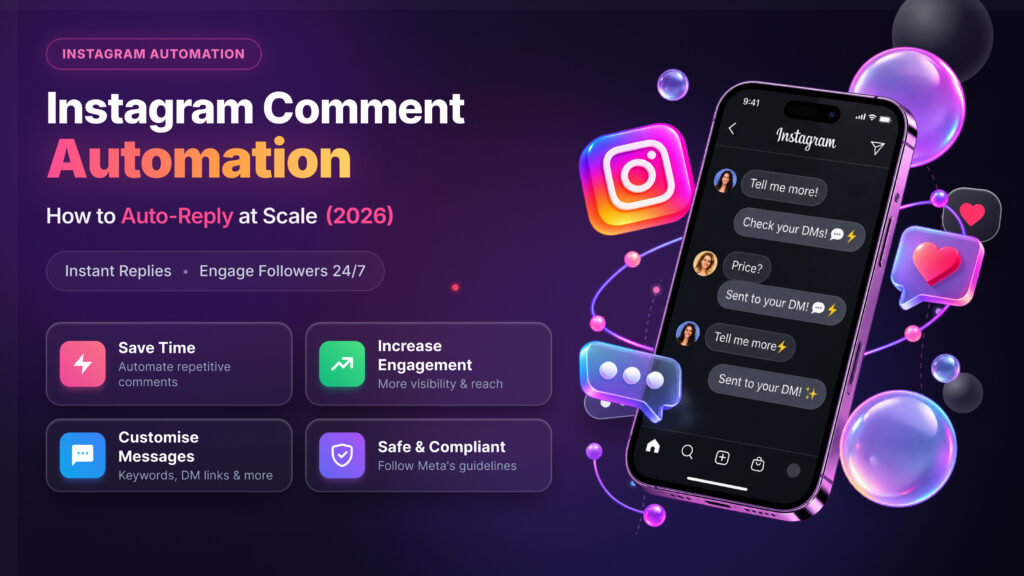
The single most widely used comment automation pattern is comment-to-DM: someone comments a keyword publicly, and instead of (or in addition to) a public reply, they get an automated DM with the actual information — pricing, a link, next steps.
This pattern works well for a specific reason: it keeps the comment thread clean (no cluttered public back-and-forth about pricing or details) while still capturing the lead privately, where a real conversation and follow-up can happen. It’s also the mechanism behind most “comment ‘LINK’ below” campaigns you’ve probably seen — the public comment is the trigger, the DM is where the actual value gets delivered.
Setting Up Comment Automation: A Practical Walkthrough
- Identify your 3-5 most common comment patterns. Look at your last month of comments — what do people actually ask or say repeatedly? Start with the most frequent, not a comprehensive list built from guessing.
- Decide public reply, DM, or both for each trigger. A general “thanks!” acknowledgment can stay public; anything involving pricing, links, or personal details should move to DM.
- Write responses that sound like you, not a script. Short, natural, and specific — avoid generic corporate phrasing that reads as obviously automated.
- Set a fallback for non-matching comments. Decide what happens when a comment doesn’t match any trigger — flagging it for manual review is usually better than staying silent or forcing a mismatched auto-reply.
- Test on a low-stakes post first. Run the automation on a smaller post before turning it on for your highest-traffic content, so you catch mismatches before they’re visible at scale.
- Review weekly and adjust. Which triggers fire most? Which comments are slipping through untagged? Real usage data beats guessing every time.
Scaling Without Sounding Robotic
This is where most comment automation goes wrong — not in the setup, but in how it feels once it’s running at volume:
Vary your response wording. If every “price?” comment gets the exact identical reply, repeat visitors and anyone scrolling through comments will notice the pattern quickly. Build 2-3 variations per trigger so responses don’t read as copy-pasted.
Match the tone of the platform, not a customer service script. Instagram comments are casual by nature — a reply that sounds like a formal support ticket response stands out for the wrong reasons.
Use the commenter’s context when you can. A reply referencing what they actually commented (not just a generic template) feels more like a real response, even when it’s automated.
Don’t automate everything. Genuine, unpredictable comments — compliments, questions that don’t fit a pattern, criticism — usually deserve a real human reply. Automating only the repetitive, predictable share of comments (usually 60-70% in most accounts) keeps the rest feeling authentic.
Set volume-aware pacing. If a post suddenly gets an unusual spike in comments, sending dozens of identical automated replies within seconds can look and feel bot-like even to casual observers scrolling the thread. Good tools pace responses slightly rather than firing everything instantly.
Common Use Cases
Lead capture from viral content. A Reel takes off, comments flood in with “price?” or “link?” — automation captures every one of them as a DM lead instead of losing most to reply fatigue.
FAQ handling on evergreen posts. Older posts that still get occasional comments (shipping, sizing, availability) get consistent answers without needing anyone to monitor them indefinitely.
Contest and giveaway management. “Comment to enter” campaigns generate comment volume that’s genuinely hard to track manually — automation can acknowledge entries and flag winners’ selection.
Moderation-adjacent triggers. Certain keyword patterns can flag comments for review (not necessarily hide them) rather than requiring someone to scan every comment manually for issues.
Community management at scale. Accounts with high posting frequency and engaged audiences use automation to make sure baseline acknowledgment happens everywhere, while a human team focuses on the comments that need real judgment.
Staying Within Meta’s Policies
The same compliance rules that apply to DM automation apply here — see the full breakdown in is Instagram automation safe. The short version specific to comments: automated replies through Instagram’s official API are an explicitly supported use case. What’s not allowed is anything simulating fake engagement — bulk auto-commenting on other accounts’ posts to drive attention to your own, buying comment bots, or any tool that doesn’t connect through Instagram’s sanctioned OAuth login. Replying to comments on your own content through the official API carries none of that risk.
Comment Automation vs. DM Automation: When to Use Each {#comparison}
| Comment Automation | DM Automation | |
|---|---|---|
| Visibility | Public (unless routed to DM) | Always private |
| Best for | Fast acknowledgment, lead capture triggers | Full conversations, sensitive details |
| Typical trigger | Keyword in a comment | Direct message, or comment-to-DM handoff |
| Risk if generic | Visible to everyone scrolling the post | Only visible to the recipient |
Most accounts benefit from running both together — comments catch public-facing volume and route qualified interest into DMs, where AutoPubliX handles the deeper conversation and lead tagging.
Measuring Whether It’s Actually Working
Setting up comment automation isn’t the finish line — a few things worth tracking regularly to know whether it’s actually helping:
Trigger match rate. What percentage of comments actually match one of your defined triggers versus falling through to a fallback? A low match rate means your triggers are too narrow or you haven’t identified your real comment patterns yet — worth revisiting after the first couple of weeks of real data.
Response-to-conversation rate. Of the comment-to-DM handoffs, how many actually turn into a back-and-forth conversation versus getting ignored? This tells you whether the automated DM content itself is compelling enough to continue engaging with, separate from whether the trigger fired correctly.
False positive rate. How often does a trigger fire on a comment where it clearly wasn’t the right response? This is uncomfortable to track but important — a wrong automated reply visible in a public comment thread is more damaging than a missed one, since it’s evidence of not paying attention.
Comments still needing manual reply. Track this number over time, not just its existence. It should trend toward a manageable, predictable volume — a team’s actual full-time comment workload — rather than automation attempting to handle everything and failing at the edges.
Building Templates That Don’t All Sound the Same {#templates}
A recurring problem once comment automation scales past a handful of triggers: response fatigue, where every reply starts to blur together in tone. A few practical fixes:
Write templates in batches of 3, not 1. For each trigger, write three genuinely different phrasings rather than one template with a synonym swapped — real variation in sentence structure, not just word choice.
Build in optional personalization tokens where your tool supports it. Referencing the commenter’s name or the specific post context, when available, breaks the “obviously templated” feeling more than any amount of wording variation alone.
Retire templates that are underperforming. If a specific reply variation consistently gets no further engagement compared to others testing the same trigger, that’s a signal to revise or drop it — treat your reply templates as something to iterate on, not a one-time setup task.
Keep a shared document of what’s live. As triggers and templates grow, it becomes easy to lose track of what’s actually configured — a simple running list (trigger, response variations, last reviewed date) keeps the system manageable as it scales, especially for teams where more than one person touches the setup.
FAQs
Is Instagram comment automation against the platform’s rules?
No — automated replies through Instagram’s official API are explicitly supported. Risk comes specifically from fake engagement or non-compliant access methods, not from replying to real comments on your own content.
Can automated comment replies be turned off for specific posts?
Yes, in most tools — you can typically choose which posts or Reels have automation active rather than applying it account-wide by default.
What happens if someone comments something automation doesn’t recognize?
A well-configured system either sends a general fallback response or flags the comment for manual review, rather than staying silent or forcing an obviously mismatched reply.
Should every comment get an automated reply? No — automating your most common, repetitive comment patterns while leaving unusual or unpredictable comments for manual reply keeps engagement feeling genuine.
How is comment-to-DM automation different from just replying to comments? Comment-to-DM moves the actual details (pricing, links) into a private message rather than the public thread, keeping the comment section clean while still capturing the lead.
Can I automate comments on Reels specifically, not just regular posts? Yes — Reels generate high comment bursts, and comment automation applies the same way to Reels as it does to standard feed posts.
Will automated replies hurt my engagement rate? Not inherently — a fast, relevant reply (even automated) generally supports engagement more than a slow or missing one. The risk is in generic, obviously-scripted replies, not automation itself.
How many keyword triggers should I start with? 3-5 based on your most common actual comment patterns is a reasonable starting point — expanding gradually based on real data beats building an extensive rule set upfront.
Ready to handle comments and DMs together, without losing the personal touch? See how AutoPubliX automates both — start free for 14 days, no payment today.