Zorcha built its name on broad marketing automation with a chatbot-style flow builder spanning multiple channels, not just Instagram — which is exactly why a lot of people searching for alternatives are looking for something simpler and more Instagram-specific. If Zorcha’s flow builder feels like more setup complexity than your actual use case needs, or if Instagram is genuinely your primary channel rather than one of several, here’s what to look at instead.
Why People Look for a Zorcha Alternative
A few patterns come up repeatedly in why businesses move away from Zorcha or evaluate alternatives before committing to it:
Too much setup for a single-platform need. Zorcha’s flow builder is built to handle automation across multiple marketing channels — powerful if you need that breadth, but a lot of unused complexity if Instagram is your only real focus.
Steeper learning curve. Branching, multi-channel flow builders generally take longer to configure properly than a tool built specifically around Instagram’s comment-to-DM pattern, which covers most businesses’ actual needs with far less setup.
Pricing scaled for broader use cases. Tools built for multi-channel marketing automation often price around that broader capability, which can mean paying for functionality that goes unused if you only need Instagram engagement handled well.
Wanting scheduling and automation in one place. Some businesses specifically want engagement automation and content scheduling under one dashboard rather than running automation and publishing as separate tools.
None of this means Zorcha is a bad product for what it’s built for — broad, multi-channel marketing automation with complex branching logic. It means the fit matters, and plenty of businesses are better served by something narrower.
What Zorcha Actually Does Well
Worth being fair about this before jumping to alternatives: Zorcha’s strength is genuinely in its branching flow builder and multi-channel reach. For a business that needs complex, conditional conversation logic — different paths based on multiple prior answers, qualification sequences spanning several steps, automation that needs to span Instagram plus other channels in one coordinated system — Zorcha’s depth is a real advantage, not a drawback dressed up as one. The businesses best served by alternatives are specifically the ones whose actual needs are narrower than what Zorcha is built to handle, not businesses with genuinely complex, multi-channel automation requirements.
A Closer Look at Each Alternative’s Trade-offs
AutoPubliX’s trade-off: by being Instagram-first, it won’t cover automation needs on other platforms the way a multi-channel tool does. If your business runs significant automation across Instagram, email, and SMS together, you’d still need separate tools for the non-Instagram pieces — the benefit is a simpler, faster, more purpose-built experience for the Instagram piece specifically.
ManyChat’s trade-off: strong flow-builder depth, but no content scheduling means running a second subscription for publishing regardless of which messaging tool you choose it alongside. Setup time is also meaningfully longer than a simpler, Instagram-first tool for businesses that don’t actually need the branching complexity.
InstaChamp’s trade-off: the fastest, simplest setup of the group, but noticeably thinner on contact organization and segmentation once message volume grows — works best for accounts that will stay at lower volume, and can start to feel limiting once a business scales past solo-creator level.
RapidDM’s trade-off: similar simplicity advantage to InstaChamp, with analytics and segmentation depth that’s more limited at lower price tiers specifically — worth checking exact plan details rather than assuming entry pricing includes the features you’ll actually need.
What to Look for in an Alternative
Before comparing specific tools, these are the factors that actually matter when evaluating a Zorcha alternative:
Instagram-first design, not Instagram-added-on. A tool built specifically around Instagram’s comment and DM patterns tends to handle that job better than a general platform with Instagram support layered in.
Setup time. If the whole point of switching is reducing complexity, time your own first-workflow setup during a trial rather than trusting a marketing claim.
Official Meta API compliance. Non-negotiable regardless of which tool you choose — see is Instagram automation safe for exactly what this means and how to verify it.
Whether scheduling is bundled. If you also need content scheduling, check whether it’s included or you’ll still be running a second tool for that.
Pricing at your real volume. Compare cost at your expected message/contact volume in a few months, not just entry-tier pricing.
AutoPubliX as a Zorcha Alternative
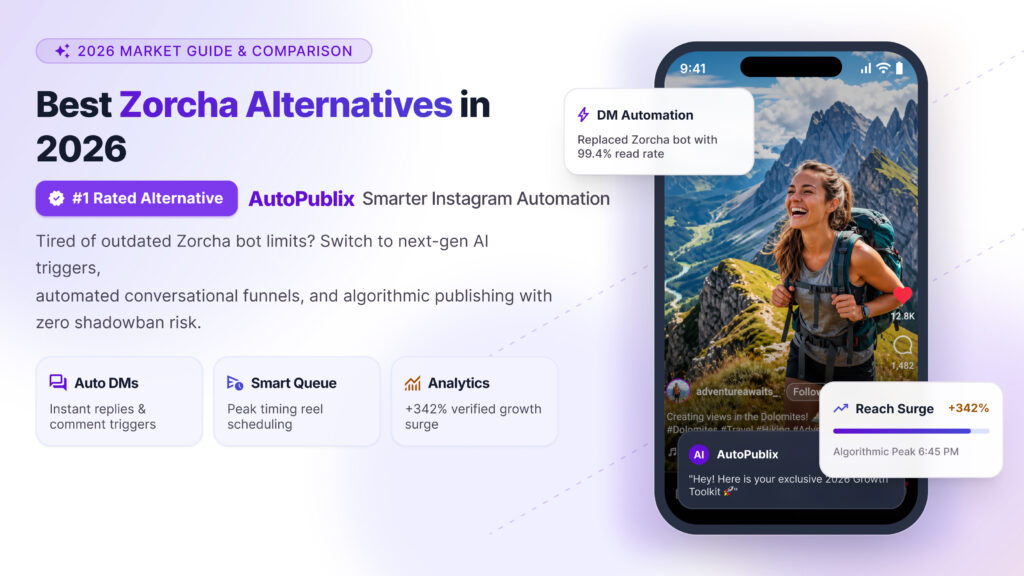
AutoPubliX is built specifically around Instagram engagement — comment-to-DM automation, AI-assisted captions, lead tagging, and content scheduling in one dashboard, with every connection running through Instagram’s official Meta API.
Where it differs most from Zorcha: AutoPubliX is Instagram-first by design rather than a multi-channel platform with Instagram support added — which generally means faster setup and a simpler day-to-day experience if Instagram is your primary or only automation need. See the full feature breakdown or the complete Instagram DM automation guide for how the comment-to-DM workflow works in practice.
Best for: businesses and creators whose automation needs are specifically Instagram-focused, who want scheduling included rather than a separate subscription, and who’d rather not build out a complex multi-step flow for what’s really a handful of common triggers.
Other Alternatives Worth Considering
ManyChat — one of the more established names in DM automation, with a visual flow builder supporting complex, branching conversation logic. Closer to Zorcha in terms of flow-builder depth, but more focused specifically on messaging rather than broader multi-channel marketing automation. Doesn’t include content scheduling, so it’s typically paired with a separate tool for publishing. See the full AutoPubliX vs. ManyChat comparison.
InstaChamp — a simpler, more streamlined option aimed at solo creators running single-account workflows. Faster to set up than Zorcha, but with less depth for businesses managing higher DM volume or needing contact segmentation. See AutoPubliX vs. InstaChamp.
RapidDM — focused on fast setup for smaller accounts and straightforward, low-volume comment-to-DM automation. A reasonable option if your needs are genuinely simple, though feature depth (analytics, segmentation) is more limited at lower price tiers. See AutoPubliX vs. RapidDM.
Comparison Table
| AutoPubliX | Zorcha | ManyChat | InstaChamp | |
|---|---|---|---|---|
| Instagram-first design | Yes | No — multi-channel | No — multi-channel | Yes |
| Comment-to-DM automation | Yes | Yes | Yes | Yes |
| Content scheduling included | Yes | No | No | No |
| AI caption/hashtag generation | Yes | Limited | No | Limited |
| Setup complexity | Low | Higher | Higher | Low |
| Best for | Instagram-focused businesses wanting scheduling + automation together | Multi-channel marketing automation needs | Advanced branching conversation flows | Solo creators, single-account simplicity |
How to Decide
If Instagram is your only or primary platform and you want engagement automation plus scheduling without running two tools, AutoPubliX is built specifically for that combination.
If you genuinely need multi-channel marketing automation spanning several platforms beyond just Instagram, Zorcha’s broader design may still be the better fit — the complexity exists because the use case calls for it.
If you need deep, branching conversation flows regardless of platform breadth, ManyChat’s flow builder is the most mature option among these for that specific need.
If you’re a solo creator wanting the simplest possible setup, InstaChamp or AutoPubliX’s more streamlined onboarding will get you running fastest, with AutoPubliX adding scheduling and lead tagging InstaChamp doesn’t include.
Making the Switch
If you’re moving from Zorcha or evaluating alongside it, a few practical notes:
Export what you can first. Check Zorcha’s data export options for existing contact tags or conversation history before committing elsewhere, so you’re not starting from zero.
Run a trial on your real account, not a demo. The clearest way to judge fit is testing actual triggers against your real comment and DM patterns, not a sales demo built around ideal conditions.
Migrate triggers gradually. Rebuild your most important 3-5 triggers first and confirm they’re working as expected before fully retiring the old setup — running both briefly during transition avoids a gap in coverage.
Pricing Philosophy: Why Comparing Sticker Price Alone Is Misleading
One more thing worth flagging before deciding purely on cost: multi-channel platforms like Zorcha often price around the breadth of what they support, even if a given customer only uses the Instagram piece. An Instagram-first alternative priced lower isn’t necessarily “cheaper for the same thing” — it’s often priced lower because it’s solving a narrower problem, which is exactly the point if that narrower problem is all you actually have. Comparing tools purely on monthly price without accounting for what capability that price includes tends to produce the wrong conclusion in either direction — don’t assume cheaper means worse, and don’t assume a higher-priced multi-channel tool is automatically more capable for your specific, narrower use case.
Is AutoPubliX a direct replacement for Zorcha?
It covers the Instagram-specific engagement and scheduling use case well, but if you need Zorcha’s broader multi-channel marketing automation, that’s a different scope — AutoPubliX is built specifically for Instagram, not as a general marketing automation platform.
Why do businesses switch from Zorcha to a more Instagram-focused tool?
Most commonly because their actual need turned out to be simpler than the tool’s full capability — Instagram-only automation with less setup complexity and lower cost for that narrower scope.
Does AutoPubliX include content scheduling like a separate scheduler would?
Yes — scheduling is built into the same dashboard as comment and DM automation, rather than requiring a second subscription.
Is switching automation tools difficult?
It depends on how much is already configured — exporting contact data where possible and rebuilding your most important triggers first, rather than all at once, makes the transition smoother
Which alternative is best for a solo creator? InstaChamp and AutoPubliX both offer faster, simpler setup than Zorcha or ManyChat — AutoPubliX additionally includes scheduling and lead tagging if those matter for your workflow.
Do all these alternatives use Instagram’s official API? Confirm this directly with each provider before connecting your account — it should be a disqualifying factor if a tool doesn’t, regardless of which alternative you’re considering. See is Instagram automation safe for how to check.
Is Zorcha a bad tool? No — it’s built well for multi-channel marketing automation with complex branching needs. The question isn’t whether it’s good, but whether that scope matches what your business actually needs.
How much does switching typically cost in terms of downtime? Minimal if done gradually — running your old and new tool briefly in parallel while migrating key triggers avoids any gap in automated coverage.
Ready to see Instagram-first automation with scheduling built in? Explore AutoPubliX — start your 14-day free trial, no payment today.