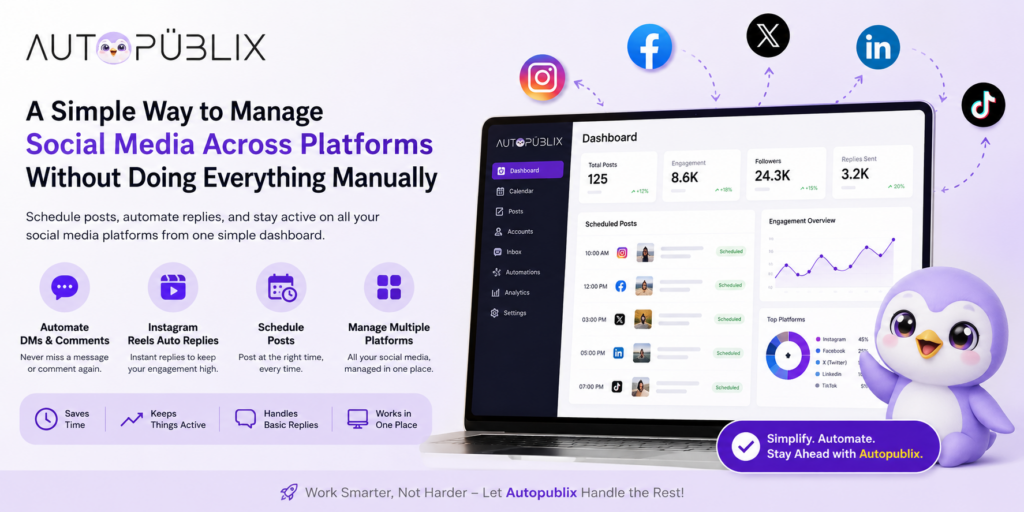
Managing one social platform is manageable. Managing four or five — each with its own app, its own login, its own posting quirks — is where most people start losing time without realizing it. Multi-platform social scheduling solves this by letting you plan and publish content across every platform from one dashboard, instead of repeating the same steps in five different apps.
This guide covers what multi-platform scheduling actually does, which features are worth prioritizing, common mistakes to avoid, and how to set it up properly with a tool like AutoPubliX.
What Is Multi-Platform Social Scheduling
Multi-platform social scheduling means planning and publishing content across several social networks — Instagram, Facebook, LinkedIn, X, and others — from a single dashboard, instead of logging into each app separately to post the same or adapted content.
In practice: instead of opening Instagram to post, then switching to Facebook to post again, then doing the same on LinkedIn, you build the content once, adjust it per platform if needed, and schedule everything to go out automatically. See how AutoPubliX’s automation works for a full walkthrough of a typical setup.
Why Businesses Move to Automated Scheduling
Most people start out managing social media manually, and it feels fine at first — post something, reply to a few comments, move on. The problem shows up gradually, not all at once:
- Messages and comments arrive at different times across different platforms, and nobody can realistically stay online across all of them all day
- Posting consistently gets harder once you’re managing more than one or two accounts
- Small delays compound — a missed reply here, a late post there — until managing social media starts to feel like a constant background task instead of a planned activity
Automated scheduling doesn’t remove the work entirely, but it removes the repetition — the part where you’re doing the same basic task five times across five apps instead of once.
Features That Actually Save Time
Not every scheduling tool needs to do everything. These are the features that actually move the needle:
Cross-platform publishing. The ability to schedule the same (or adapted) content across Instagram, Facebook, LinkedIn, X, and WhatsApp from one place — this is the core function multi-platform scheduling is built around.
Instagram DM and comment automation. Scheduling gets content out the door, but engagement still needs a response. Tools that combine scheduling with Instagram DM automation mean comments and messages get handled without a separate tool.
Instagram Reels auto-replies. Reels generate quick bursts of comments that are hard to keep up with manually — automated replies handle the volume without losing responsiveness.
AI-assisted content creation. Drafting captions and adapting tone per platform for every single post adds up — AI-generated drafts remove the blank-page problem.
Optimal timing per platform. Each platform has different peak engagement windows; scheduling tools that account for this (rather than posting everything at the same time everywhere) perform better than a one-size-fits-all schedule.
Unified analytics. Seeing performance across all platforms in one dashboard, rather than exporting numbers from five separate native analytics tools, is what actually makes the data usable for decisions.
AutoPubliX vs. Dedicated Schedulers
| Feature | AutoPubliX | Hootsuite | Buffer |
|---|---|---|---|
| Multi-platform scheduling | Yes (IG, FB, LinkedIn, X, WhatsApp) | Yes, strong | Yes, simple |
| Instagram DM/comment automation | Yes, built-in | Basic, add-on | None |
| AI content generation | Yes, built-in | Limited | Limited |
| Unified analytics dashboard | Yes | Yes | Basic |
| Social listening | No | Yes | No |
Hootsuite’s strength is social listening and enterprise-scale team management; Buffer’s strength is simplicity for small teams that only need scheduling. Neither includes real DM automation as a core feature — which matters if your workflow depends on turning scheduled content into DM conversations, not just getting posts published on time. Full breakdowns: AutoPubliX vs. Hootsuite and AutoPubliX vs. Buffer.
How This Changes Day-to-Day Management
Manual social media management isn’t just posting — it’s the repeated checking, replying, and re-checking that eats time throughout the day. Multi-platform scheduling doesn’t eliminate all of that, but it removes the parts that don’t need a human doing them in real time:
- Content goes out on schedule without someone manually publishing it platform by platform
- Basic replies and comment triggers get handled automatically, so conversations don’t pile up unanswered
- You check in periodically to review performance and adjust, rather than being tied to the apps throughout the day
The net effect isn’t “less work” in an absolute sense — it’s less repeated, low-value work, freeing up time for content strategy, campaign planning, and the conversations that actually need a person.
Benefits of Switching to Multi-Platform Scheduling
Time saved on repetition. The biggest gain isn’t from any single feature — it’s from not repeating the same publishing steps across every platform separately.
Accounts stay consistently active. Scheduled content keeps going out even during busy periods, travel, or time off, instead of accounts going quiet whenever no one has time to post manually.
Fewer missed conversations. Combined with comment and DM automation, engagement gets an instant first response instead of waiting until someone has time to check each platform.
Centralized performance data. Comparing what’s working across platforms is far easier from one dashboard than piecing together exports from five different native analytics tools.
Easier team collaboration. A shared content calendar and unified inbox mean less confusion over who’s responsible for what, especially once more than one person is involved in social media management.
Setting It Up: A Practical Walkthrough
- Connect your accounts. Link Instagram, Facebook, LinkedIn, and X through the platform’s official API — never through a tool asking for your direct login credentials.
- Build a content calendar. Plan a week or month of posts at once, organized by type (promotional, educational, testimonial, announcement) rather than deciding daily.
- Adapt content per platform where needed. A caption written for Instagram may need trimming or a different tone for LinkedIn — most tools let you adjust per platform without rewriting from scratch.
- Set your posting times. Use AI-recommended timing if available, or start with published platform benchmarks and adjust based on your own data after a few weeks.
- Turn on comment/DM automation for at least one platform. Start with Instagram, where comment-to-DM automation typically has the clearest impact.
- Review weekly. Check what’s performing, which automated replies are triggering most, and adjust the calendar and rules accordingly.
Common Mistakes to Avoid
Setting it and forgetting it. Automation still needs periodic review — replies that made sense at setup can start to feel off as your offers or audience change.
Not checking automated replies. Auto-replies don’t fit every situation perfectly; occasional review catches ones that need adjusting before they cause a bad experience.
Over-automating. Trying to automate every single interaction can make a brand feel impersonal — balance automation with real, human replies where it matters.
Ignoring timing. Scheduling posts without accounting for each platform’s actual engagement patterns undercuts performance even when the content itself is good.
Posting identical content everywhere. What works as a LinkedIn post rarely works unchanged as an Instagram caption — some platform-specific adaptation usually outperforms a copy-paste approach.
Tips Before You Start {#tips}
- Start with one or two platforms, not all five at once — get the workflow right before expanding.
- Keep automated replies natural, not robotic — a little personalization goes a long way.
- Don’t rely on automation fully — use it to support your workflow, not replace judgment entirely.
- Revisit your schedule monthly — audience behavior shifts, and a schedule that worked three months ago may not still be optimal.
Why Teams Choose AutoPubliX
AutoPubliX combines multi-platform scheduling with Instagram DM and comment automation, AI content generation, and unified analytics — all in one dashboard, rather than requiring a separate scheduler and a separate engagement tool. For teams managing Instagram, Facebook, LinkedIn, X, and WhatsApp, that means one login and one content calendar instead of stitching multiple subscriptions together.
See how this compares to dedicated schedulers: AutoPubliX vs. Hootsuite and AutoPubliX vs. Buffer. For the DM and engagement side specifically, see the Instagram DM automation guide.
FAQs
What is multi-platform social scheduling?
Planning and publishing content across multiple social networks — Instagram, Facebook, LinkedIn, X, and others — from one dashboard, instead of posting to each platform separately.
Can you automate Instagram DMs and comments alongside scheduling?
Yes — tools like AutoPubliX combine both, so replies to comments and DMs are automated in the same dashboard used to schedule posts, rather than requiring a separate tool.
How do Instagram Reels auto-replies work?
When someone comments on or reacts to a Reel, an automated reply can be triggered instantly based on rules you set — useful for managing the burst of engagement Reels often generate.
Is scheduling alone enough to manage social media well?
No — scheduling handles publishing consistency, but engagement (replies, DMs, comments) still needs a response system. Combining scheduling with automated engagement, as AutoPubliX does, covers both sides.
Why do businesses use tools like AutoPubliX instead of native platform schedulers? Native schedulers only cover one platform at a time and typically don’t include DM automation or cross-platform analytics — a combined tool saves the time spent switching between multiple systems.
How much time does multi-platform scheduling actually save? It varies by how many platforms and how much manual reply work is involved, but most teams see the biggest time savings from no longer repeating the same publishing steps across each platform separately, plus not manually handling repetitive DM/comment replies.
Can I schedule different content for each platform instead of the same post everywhere? Yes — most multi-platform schedulers, including AutoPubliX, let you adapt captions, formatting, and timing per platform rather than forcing identical content everywhere.
Do I need a scheduling tool if I only manage one platform? Probably not — multi-platform scheduling tools deliver the most value once you’re managing two or more platforms consistently. A single-platform account may do fine with that platform’s native scheduler alone.
Ready to manage Instagram, Facebook, LinkedIn, and X from one dashboard? Start your 14-day free trial — no payment today.